claude mcp server
By Beam team · Updated
What a Texting MCP Server Actually Gives Claude
A texting MCP server does not hand Claude one generic "send text" function. It exposes a small set of named tools, each with its own description and input schema, typically something like send a message, read a thread, list contacts and check delivery status, and each one only shows up if the token calling the server carries permission for it. A plain send-message API call skips all of that: one function, one job, no catalog for Claude to discover.
Beam is an independent messaging platform, not an Anthropic or Apple product.
What Shape Does an MCP Tool Definition Actually Have?
Ask a developer what "connecting Claude to a texting MCP server" means and most describe it as plugging in a send button. That undersells what actually gets installed. A real server publishes a catalog of separately named tools, and Claude decides which one to call based on what the conversation needs, not on what a single hardcoded endpoint happens to do. We'll walk through the tool definition shape the Model Context Protocol itself specifies, then map that shape onto the concrete tools a texting server exposes in practice, and show exactly where a single send-only API call still beats the extra surface.
The protocol does not leave this to guesswork. When Claude's client sends a tools/list request to a connected server, the response is a JSON array where each entry has the same handful of fields: a name the model calls by, an optional human-readable title, a description that tells the model what the tool does and when to reach for it, and an inputSchema written as JSON Schema that defines exactly which arguments the tool accepts and which ones are required (modelcontextprotocol.io: server tools specification). A tool can optionally declare an outputSchema too, so the server's structured result can be validated the same way the input was. None of that is texting-specific. It's the same shape a weather lookup tool or a database query tool would use.
What makes a tool a texting tool is only the content of those fields: a name like send_message, a description that says it sends an iMessage or SMS through an assigned line, and an inputSchema that requires a recipient and a body, maybe with an optional media attachment field. Claude reads that description at the start of a conversation, decides whether the current task matches it, and only then issues a tools/call request naming that tool and supplying arguments that satisfy the schema. If the schema says a field is required and the agent's arguments are missing it, the call fails before anything happens on the wire, which is one of the quieter advantages of a typed tool catalog over a single all-purpose endpoint that silently accepts whatever JSON you throw at it.
The spec also defines optional annotations on a tool, hints like whether it's read-only or whether it performs a destructive, hard-to-undo action. Nothing forces a server to set these accurately, and the spec itself warns that annotations from an untrusted server shouldn't be trusted blindly. Treat them as documentation, not as a safety mechanism on their own.
What Tools Does a Real Texting MCP Server Actually Expose?
In practice, a hosted texting server groups its tools around what a human operator does with a messaging line day to day, not around raw send/receive plumbing. Beam's own developer access model names the permission tiers plainly: reading, training on past conversations, publishing drafts, automation, sending and booking, and those tiers gate which tools show up in a given token's tools/list response at all (see our iMessage MCP server guide for the full permission model). A token scoped to read and train only will never see a send tool in its catalog, whether or not the agent tries to ask for one.
That maps onto a short, concrete list most texting integrations actually need:
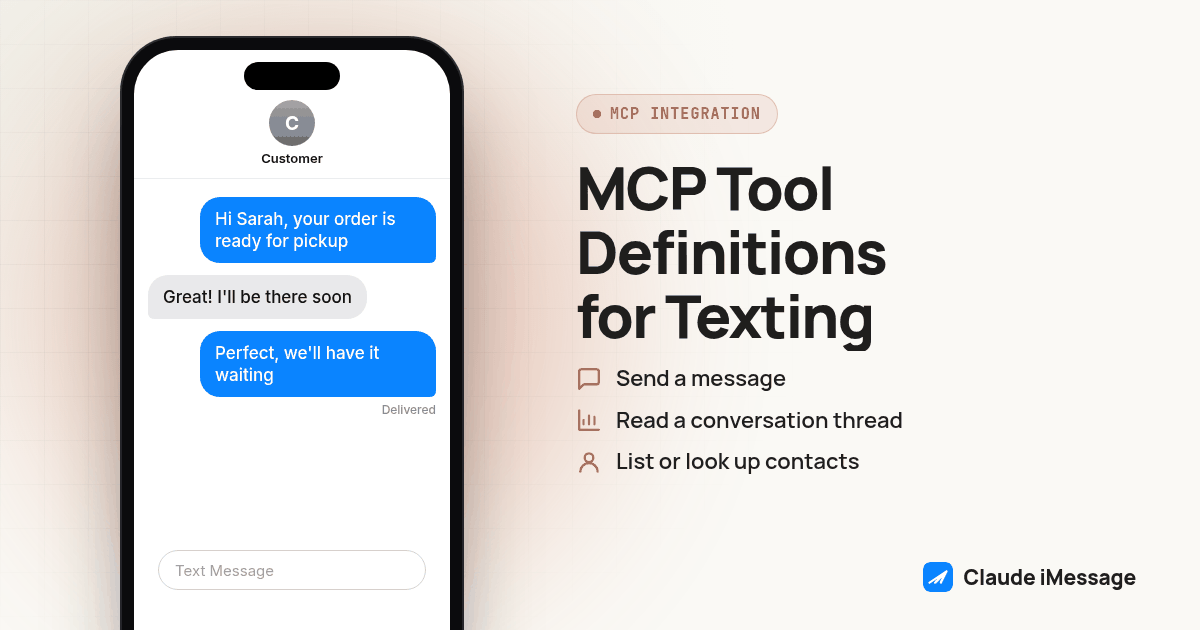
- Send a message. Takes a recipient and a body, maybe a media URL, and returns a message ID or a queued status. This is the one tool that moves money and risk, which is why it's usually the last permission turned on, not the first.
- Read a conversation thread. Pulls prior messages for a given contact so the agent has context before it drafts a reply. Read access alone lets an agent summarize or draft without being able to touch a real conversation.
- List or look up contacts. Resolves a name to the handle a send call actually needs, and lets an agent check whether a thread already exists before starting a new one.
- Check delivery status. Separates "the server accepted the request" from "the phone actually received it," a distinction that matters more in texting than almost any other tool category, since a queued result and a delivered result can look identical in a chat transcript.
You can see this exact pattern in a small, independent, non-hosted example: the publicly available imessage-mcp project exposes search_messages, list_chats, get_thread and get_contact_handles as read tools, send_message as the one write tool requiring explicit confirmation, and a separate contacts server with its own list_contacts, create_contact and find_duplicates tools, all running against a local macOS Messages database with no network calls at all (github.com/ryan-grey/imessage-mcp). It's a different trust model than a hosted business line, permission there comes from macOS's own Full Disk Access and Automation prompts rather than a scoped bearer token, but the tool shape is the same idea: separate named tools for reading, for contacts and for the one send action that actually changes something.
A hosted provider adds the layer a local tool doesn't need: a token tied to a workspace and a specific line, request headers instead of OS permission dialogs, and a rate limit on the connection so one runaway agent loop can't flood a line. Our guide on handling Beam's MCP rate limit in a custom agent covers that ceiling and how it interacts with retry logic, and our guide on wiring a bearer token into a custom connector covers the authentication side in the same depth. Neither is worth repeating here; the point in this article is the tool catalog itself, not how you authenticate to it.
How Does a Full MCP Tool Catalog Compare to One Send-Message API Call?
A single REST endpoint that accepts a recipient and a body and sends a text is not a worse design, it's a different one aimed at a narrower job. The comparison only makes sense once you're honest about what each approach actually gives up.
| Texting MCP tool catalog | Single send-message API call | |
|---|---|---|
| What Claude can discover | Multiple named tools with descriptions, picked by the model per turn | Nothing to discover; your code decides when to call it |
| Context before sending | Can read a thread and look up a contact first | None, unless your own code fetches that separately |
| Permission granularity | Per-tool, enforced by the token's scope | All-or-nothing: if the key can call it, it can send |
| Failure visibility | Each tool call shows up as a distinct call in the transcript | One call either succeeds or fails, no finer breakdown |
| Delivery confirmation | A separate status tool, called on demand | Usually a webhook or a follow-up poll your code manages |
| Build effort | Higher: a schema and handler per tool, permission wiring | Lower: one endpoint, one schema, one job |
| Right fit for | An agent that drafts, checks context and decides whether to send | A workflow that always sends the same kind of message on a trigger |
Neither column is the correct answer in the abstract. The tool catalog earns its complexity when an agent actually needs to look something up before deciding what to do. The single endpoint earns its simplicity when the decision to send was already made somewhere else, by a human or by a deterministic trigger, and the only job left is firing the message.
How Do You Test a Texting MCP Server's Tool Surface Before Trusting It With Real Contacts?
Treat a working connection and a trustworthy connection as two separate facts. A server that answers tools/list proves nothing about whether the token points at the right workspace or whether a send call will actually reach a phone. Run through this before anyone hands the agent a live conversation:
- Call
tools/listyourself, or ask the agent to report it, and read the returned tool names against the permissions you think the token has. A send tool showing up on a token you meant to scope as read-only is the single most common setup mistake. - Check each tool's
inputSchemaagainst what your agent is actually going to send it. A schema that marks a field optional when your workflow always needs it will let malformed calls through silently. - Call a read tool first, something like list contacts or read a thread, and confirm the data that comes back matches a conversation you already know, not a different workspace entirely.
- Call the send tool exactly once, to a contact you control, and check the result inside the provider's own dashboard or logs rather than trusting a success message inside the chat window.
- Separate queue acceptance from delivery. If a status or delivery tool exists, call it a few seconds after the send and confirm the status actually changed, instead of assuming a 200-style response means the text landed.
- Try a deliberately bad call, a missing required field or an invalid recipient, and confirm the server returns a tool execution error instead of silently doing nothing or, worse, sending to the wrong place.
- Re-run the same five checks after any change to the token's permissions. A connector that worked last month with narrower scope can start exposing a send tool it didn't have before, and nobody reviews that drift unless someone goes looking for it.
A short checklist like this is worth keeping next to the connector setup instructions, since the failure mode that actually bites teams is not a broken connection, it's a working connection with the wrong tool exposed to it.
When Do You Actually Just Need a Send-Text Tool, Not a Full MCP Server?
If the only thing your agent needs to do is fire an outbound text when some other system decides it's time, the full catalog is overhead you don't need to carry. An appointment reminder workflow, a lead notification, a status update triggered by a CRM event: in every one of those, the decision to send was already made by a rule or by a person, and the agent's only job is executing a single, well-defined action. Giving that agent a read tool, a contacts tool and a status tool it will never call just widens the blast radius of a prompt injection or a bad instruction without adding any real capability.
Our guide on giving a Claude Agent SDK agent a send-text tool walks through defining exactly one tool, with a required idempotency key so a retried call can't send the same text twice, and registering it through the SDK's own tool list rather than pulling in a full MCP server you'd otherwise have to run, secure and keep patched. That's a smaller, faster thing to build and reason about than a multi-tool catalog, and it's the right call whenever the agent's job description is "send this," not "figure out whether and what to send."
The decision point, in practice, is whether the agent needs to look at anything before it acts. If it needs to check a thread, confirm a contact or decide between several possible replies, it needs tools to look with, not just a tool to act with. If it never needs to look, one well-scoped send tool is not a compromise. It's the more correct design for that job.
Diagram: a two-column flow. Left column, labeled "Decision made elsewhere," shows a CRM trigger arrow pointing straight to a single "send_message" box and then to a phone icon. Right column, labeled "Agent decides," shows a chat bubble branching into four labeled tool boxes (read thread, list contacts, send message, check status) with arrows looping back into the chat bubble before one path continues to the phone icon.
Texting is one channel among several an MCP connection can expose to an agent. If your workflow also needs the agent to place or route phone calls, our sister team at RizzDial covers the same kind of tool-surface decision for voice in adding phone calls to an AI agent over MCP with Claude Code and Codex.
Before you connect
What do teams ask before they connect?
How long does it actually take to stand up a texting MCP tool catalog for Claude?
Connecting to an existing hosted server like Beam's takes a few minutes: create a token, add the server URL, confirm the workspace. Writing your own tool catalog from scratch, with a schema and a handler per tool, is a different project measured in days, not minutes, mostly because of the permission and idempotency work, not the MCP wiring itself.
Does Claude need a different kind of login for a texting MCP server than it does for a Connector like Slack?
Not structurally. Both are remote MCP servers from Claude's point of view. A directory Connector usually signs in through the provider's own OAuth screen, while a texting server reached as a Custom Connector is more commonly wired up with a bearer token in a request header, a mode Claude still marks as a beta feature for some organizations.
If a token is scoped to read only, what happens when someone asks Claude to send a text with it?
The send tool either never appears in that token's tools/list response, or the server rejects the call with a tool execution error if it does appear. Either way the enforcement lives on the server, not in Claude's judgment, which is why scoping the token correctly matters more than trusting the agent to behave.
Does calling the send tool through MCP skip the opt-out and registration rules that apply to a REST API call?
No. The transport an agent uses to reach a send endpoint does not change the carrier and consent rules behind it. A message sent through an MCP tool call still goes through the same line, the same opt-out handling and the same registration status as one sent through a direct API call, because both paths end at the same send operation.
If we start with just a send-message tool, how hard is it to add the rest of the tool catalog later?
Low cost if the server already has the other tools built, which is the case with a hosted provider: you just request broader token permissions and the new tools appear in the next tools/list call. It's a bigger lift only if you wrote a single-purpose tool yourself and now have to build read, contact and status tools from nothing.
Keep exploring
Which guides go deeper?
Where do these facts come from?
Checked November 2026.