send photo pdf attachment imessage api claude agent
By Beam team · Updated
Can a Claude iMessage Agent Send Real Attachments?
Yes. A Claude-built iMessage agent can send a real photo, PDF or video as a native attachment, not a plain-text link, by passing a public HTTPS file URL (or a local file path, depending on the tool) alongside the message instead of a message string on its own. Apple publishes no public iMessage API for this, so every agent sending attachments today goes through either a hosted messaging API with a documented attachments field or a self-hosted Mac tool that drives Messages.app directly, and the two paths have very different file-type and size ceilings.
Beam is an independent messaging platform, not an Anthropic or Apple product.
Why Doesn't Apple Give Claude an Official Way to Send a File?
We get this question right after a team finishes wiring a Claude agent to send plain-text replies: the agent can say "here's your invoice," but it cannot actually hand over the invoice. The fix is not a bigger model or a cleverer prompt. It is giving the send tool a second parameter beyond the message string, and understanding which of the two real paths, a hosted attachments field or a local file path on a Mac, matches how the rest of the agent is built. Below is a plain comparison of both paths, a numbered build procedure, and a test checklist to run before a real contact sees the result.
There is no public Apple API for sending iMessages at all, attachment or otherwise. Everything that sends a blue-bubble message from code, whether that code is a Claude agent, a CRM workflow or a marketing platform, works around that gap one of two ways: by driving the real Messages.app on a real Mac through AppleScript or the Messages database, or by routing through a hosted provider that holds its own carrier-level sending infrastructure and exposes attachments as a normal field in a JSON request. Anthropic's own official iMessage plugin takes the first route, since its reply tool is built to run against a Mac signed into iMessage, with a files parameter that accepts absolute filesystem paths and sends each one as a separate message following the text (github.com/anthropics/claude-plugins-official).
Beam, which claudeimessage.com runs on top of, takes the second route: a hosted POST /v1/messages endpoint that accepts an attachments array of file links in the same request as the text, so the agent never touches Messages.app or a Mac at all. Worth saying plainly here, since the two names sit close together in this article: Beam is an independent messaging platform, not an Anthropic or Apple product. It happens to be a good fit for a Claude agent's send tool, the same way it would be a good fit for any agent or workflow that needs to text from code.
How Does a media_url Attachment Actually Reach the Recipient's Phone?
The mechanic is simpler than most developers expect on the first read: instead of the agent uploading file bytes through its own connection, it hands the provider a link, and the provider fetches and delivers the file itself. Linq's attachments API documents this exact pattern, with two ways to reference a file. A direct approach sends a media part with a url field pointing at a public HTTPS file, while a pre-upload approach sends an attachment_id returned from an earlier upload call, which the provider then reuses without re-fetching the file every time (docs.linqapp.com).
Beam's version of the same idea folds straight into the normal send call rather than a separate upload step. The request below sends a plain-text message with one photo attached in a single call:
curl -X POST https://beam.aisync.link/v1/messages \
  -H "x-api-key: YOUR_WORKSPACE_KEY" \
  -H "Content-Type: application/json" \
  -d '{
    "to": "RECIPIENT_PHONE_NUMBER",
    "message": "Here is the before and after from last week",
    "attachments": ["https://yoursite.com/results.jpg"]
  }'
An agent's send tool calls that same endpoint the same way it would for a text-only reply. The only change is the attachments array riding alongside message, pointing at a link the recipient's phone can fetch over HTTPS. See the full field reference on our iMessage API build guide. No separate upload step, no polling for a transcoding job, and no Mac required anywhere in the chain.
What File Types and Size Limits Actually Apply?
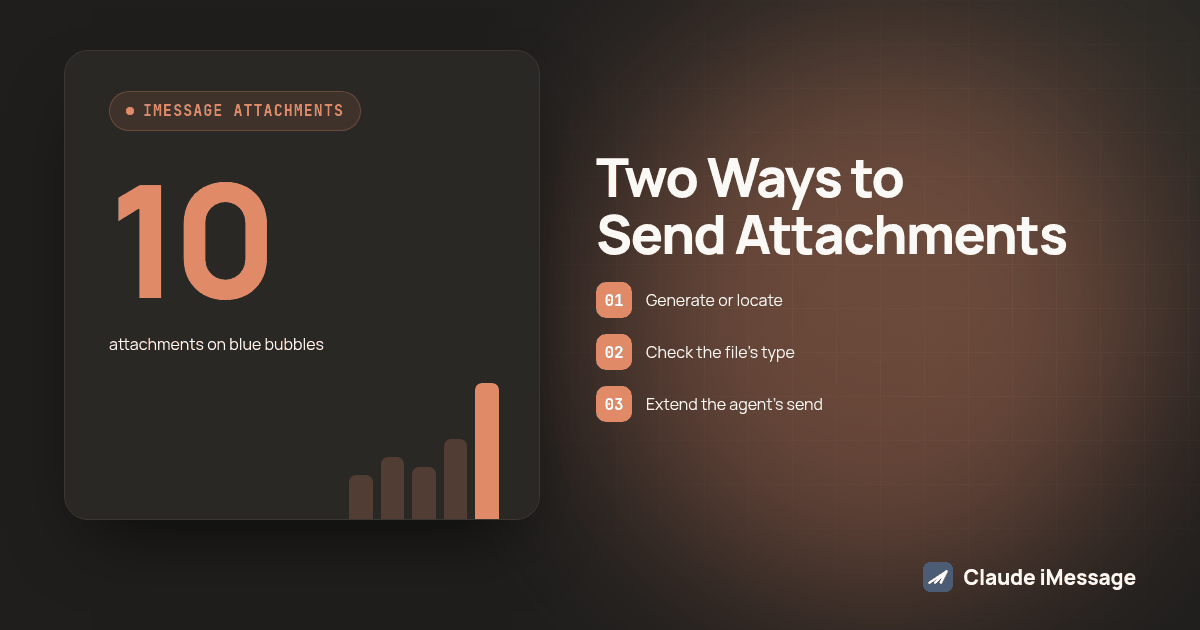
This is where the two paths diverge the most, and it is the part teams get burned on when they test with a JPEG and ship with a PDF. On the hosted-attachments path, the limit depends on the channel the message actually travels over, not just the file itself. A blue-bubble iMessage conversation can carry up to 10 attachments in one send: images, video, PDF and more. A text (MMS) fallback for the same contact drops that ceiling to up to 3 attachments and roughly 5MB combined, with JPEG and PNG as the safe bets; WEBP and SVG are worth avoiding since carriers render them inconsistently. See the full attachment reference on our texting MCP server guide for how these limits show up when the send call comes from an MCP tool instead of a direct API call.
Linq's published ceiling sits on a different axis: a URL-based attachment caps at 10MB, while a pre-uploaded attachment_id can carry up to 100MB, so a large video or a scanned contract needs the pre-upload path rather than a bare link (docs.linqapp.com). The self-hosted path has no comparable published number at all. Both mac_messages_mcp and Anthropic's official plugin accept a file path without documenting a size or type ceiling, because the ceiling in practice is whatever Messages.app itself will transmit, not a number either tool enforces (github.com/carterlasalle/mac_messages_mcp).
Text-Only Send vs Hosted Attachment vs Self-Hosted File Path: Which Fits Your Agent?
| Approach | How the file reaches the phone | File types | Size ceiling | Group chat support | Needs a Mac left running |
|---|---|---|---|---|---|
| Text-only send | No file at all, just a message string |
None | N/A | Yes | No |
| Hosted attachments field (Beam, Linq) | Public HTTPS URL or pre-uploaded ID in the same send request | Images, video, PDF and more on blue bubbles | Up to 10 attachments on blue bubbles, up to 3 and about 5MB total on text fallback | Yes, through the API | No, sends from the provider's infrastructure |
| Self-hosted file-path tool (mac_messages_mcp, Anthropic's official plugin) | Absolute local file path passed to the tool, which hands it to Messages.app | Whatever Messages.app accepts; not documented | Not documented by either tool | No for group chats; one tool explicitly lists this as unsupported | Yes, a Mac signed into iMessage and awake |
The practical read of that table: if the agent already runs on a server somewhere and never touches a physical Mac, the hosted attachments field is the only path that does not require standing up a Mac just to send a file. If the agent is already built around local Messages.app automation for other reasons, the file-path tool keeps everything in one place, but plan around the undocumented limits and the group-chat gap instead of discovering them on a live contact.
How Do You Wire a Claude Agent to Send an Attachment, Step by Step?
- Generate or locate the file you want to send (a chart image, a signed PDF, a short video clip) and put it somewhere with a stable, public HTTPS address if you are using a hosted attachments field, or confirm its absolute path on disk if you are using a self-hosted tool.
- Check the file's type and size against the channel it will actually travel over. A file that is fine on blue bubbles can fail silently once a recipient falls back to text.
- Extend the agent's send tool schema with an
attachmentsorfilesargument alongside the existingmessageargument, rather than building a second tool just for files. Our guide to giving a Claude Agent SDK agent a send-text tool covers the base tool this extends. - Have the agent populate both arguments in one call: the text it wants to say, and the file reference that belongs with it, so the two arrive as one message rather than two separate ones a few seconds apart.
- Call the send endpoint or MCP tool and read the actual response body, not just the HTTP status code, since a 200 on a queued send is not proof the attachment itself cleared delivery.
- Store the file reference and the resulting message ID together in your own logs, so a failed delivery can be retried against the same file instead of regenerating or re-uploading it.
- If the agent also needs to read attachments a contact sends back, keep that logic separate from the send path; our guide to a Claude agent reading an inbound HEIC photo covers the receiving side, which uses a different code path even on the same tool.
How Do You Test an Attachment Send Before Real Contacts See It?
- Send one of each file type you plan to support, JPEG, PNG and PDF at minimum, to a phone number you control, and open each one on an actual iPhone rather than trusting a simulator or a web preview.
- Send a file right at the channel's documented ceiling and one just over it. Confirm the oversized send fails with a clear error the agent can react to, instead of silently dropping the attachment while the text portion of the message still arrives.
- Force a text (SMS/MMS) fallback by testing against a number that does not support blue bubbles, and confirm the attachment still arrives inside that channel's lower limit rather than vanishing.
- If your workflow ever sends into a group thread, test that specifically. A path that works one-to-one is not proof it works in a group, and at least one widely used self-hosted tool documents group attachments as unsupported outright.
- Kill the network connection mid-send once, on purpose, and confirm your logging shows a failed attachment rather than a message that looks sent but never carried the file.
- Re-run the whole sequence after any change to how the file is generated or stored, since a renamed storage bucket or a changed URL pattern can quietly break every attachment without touching the text path at all.
Screenshot: a side-by-side of two phone mockups. The left phone shows a blue-bubble thread with an inline photo and a one-line caption above it. The right phone shows the same conversation fallen back to green SMS, with the same photo shown as a smaller, lower-resolution thumbnail and a note underneath reading "MMS, 3 attachments max."
Treat attachment sending the same way you would treat any other piece of the agent's send path: something that gets tested against a real device before a real contact ever sees it, not something you assume works just because the text portion of the message went through fine.
If the attachment is going out through a GoHighLevel workflow rather than directly from an agent, Beam's own writeup on photos, PDFs and links versus attachments in GoHighLevel walks through that specific setup.
Before you connect
What do teams ask before they connect?
Does adding attachment sending to an existing Claude texting agent mean rebuilding the integration?
No. If the agent already calls a send tool with a message argument, adding an attachments or files argument to that same tool is a schema change, not a rebuild. The agent still decides what to say; it just gets one more field to fill in when a file belongs in the reply.
Can a self-hosted tool like mac_messages_mcp attach a file inside a group chat?
Not reliably. mac_messages_mcp documents group chat file attachments as something it deliberately does not support, because Messages.app automation on the Mac does not expose that function. Direct one-to-one messages can carry a file; group threads cannot through that path.
What file types are safest to send as an iMessage attachment from an agent?
JPEG and PNG deliver most reliably across blue bubbles and SMS fallback. PDFs work well on blue bubbles but are not guaranteed to render on an MMS fallback. Avoid WEBP and SVG for anything that might fall back to text, since carriers handle them inconsistently.
Is it safe to send a client's PDF or invoice as a public HTTPS link in an attachment field?
Treat the link like you would any other public URL: anyone who guesses or intercepts it can open the file, so use a random, unguessable path rather than a predictable one, set a short expiration if your storage supports it, and never put a client's full name or account number directly in the filename or URL path.
Do I need a Mac left on and signed into iMessage to send attachments through an agent?
Only if you choose a self-hosted path like mac_messages_mcp or Apple's own Messages.app automation. A hosted messaging API that accepts a public file URL in the send request does not need a Mac running anywhere; the attachment goes out from the provider's own infrastructure.
Keep exploring
Which guides go deeper?
Where do these facts come from?
Checked November 2026.