ai agent can't read heic photo attachment
By Beam team · Updated
Why Your AI Agent Can't Read a HEIC Photo
An open Anthropic GitHub issue documents that Claude's Read tool lost HEIC and HEIF decoding in a regression around late May 2026, so the official iMessage plugin and any local Mac setup that hands Claude a local .heic file path will fail to read a photo an iPhone sent in its default format. The fix is not a patch you can apply yourself; it is choosing or testing a connection type that never routes the image through that specific broken tool call.
Beam is an independent messaging platform, not an Anthropic or Apple product.
Why Does Claude Say It Can't Read the Photo a Contact Just Sent?
We watched this exact failure happen on a client's setup last month: a contact sent a photo of a signed form over iMessage, the agent said it could not access the attachment, and the team spent twenty minutes assuming their own connector was broken before finding the real cause. It wasn't their config. It was a documented, still-open regression in how Claude's Read tool decodes one specific image format, and it only shows up on certain connection types.
Every iPhone, by default, saves photos in HEIC (or HEIF for video-adjacent formats), Apple's own compressed image format, not JPEG. When a contact snaps a picture and sends it over iMessage without changing that setting, which almost nobody does, the file that lands in the conversation is a .heic file. For a texting agent built on Claude, what happens next depends entirely on how that photo gets in front of the model.
In setups where Claude's own Read tool has to open the file directly, something broke. A developer filed anthropics/claude-plugins-official issue #2286 on June 4, 2026, titled "imessage: HEIC/HEIF photo attachments can't be read (iPhone's default format)," and laid out the mechanism in detail: Claude's Read tool lost its HEIC and HEIF decoding path in a regression that landed around late May 2026 (github.com/anthropics/claude-plugins-official/issues/2286). The official iMessage plugin, which reads attachments straight out of the Messages database and hands Claude a local file path, still points at that same Read tool to open the image. With HEIC decoding gone, the Read tool either throws a file size error or, worse, renders the raw binary data as text, and the agent reports back that it cannot access the attachment. We checked the issue again while writing this, and it is still open, with no close label and no comment pointing to a merged fix.
This is not a theoretical edge case. HEIC is not an unusual choice a user made; it is what an iPhone sends unless someone has gone into Settings and changed the camera format to "Most Compatible." Any agent reading a real contact's incoming photos is going to hit a HEIC file eventually, and when it does, the agent does not fail quietly. It tells the person on the other end of the conversation that it cannot see what they just sent, which is exactly the moment a client's customer loses confidence in the whole setup.
Which Connection Types Are Actually Exposed to This?
The regression lives in one specific tool, Claude's Read tool, and only fires when something hands that tool a local file path and asks it to decode an image. That detail draws a clean line between setups that will hit this and setups that structurally cannot.
The official iMessage plugin is exposed, since it reads chat.db on a Mac and points Claude at the local attachment file on disk. A Claude Skill built the same way, driving Messages through AppleScript and reading attachments out of that same local database, inherits the identical failure. Our own Claude Skill vs. a hosted business number API comparison covers why that one-Mac architecture creates other limits too; this is one more entry on that list, not a separate problem.
Not exposed, at least not through this specific tool call, is any setup where the attachment never arrives as a local file path at all. If a platform's webhook or MCP event delivers an incoming photo as an HTTPS URL instead, the agent never asks Claude's Read tool to open a local HEIC file, because there isn't one. That does not mean HEIC decoding is solved everywhere, or that a URL based setup has zero image quirks of its own. It means issue #2286 simply does not apply to that code path.
How Does a Local File Path Setup Compare to a Hosted URL Based Setup?
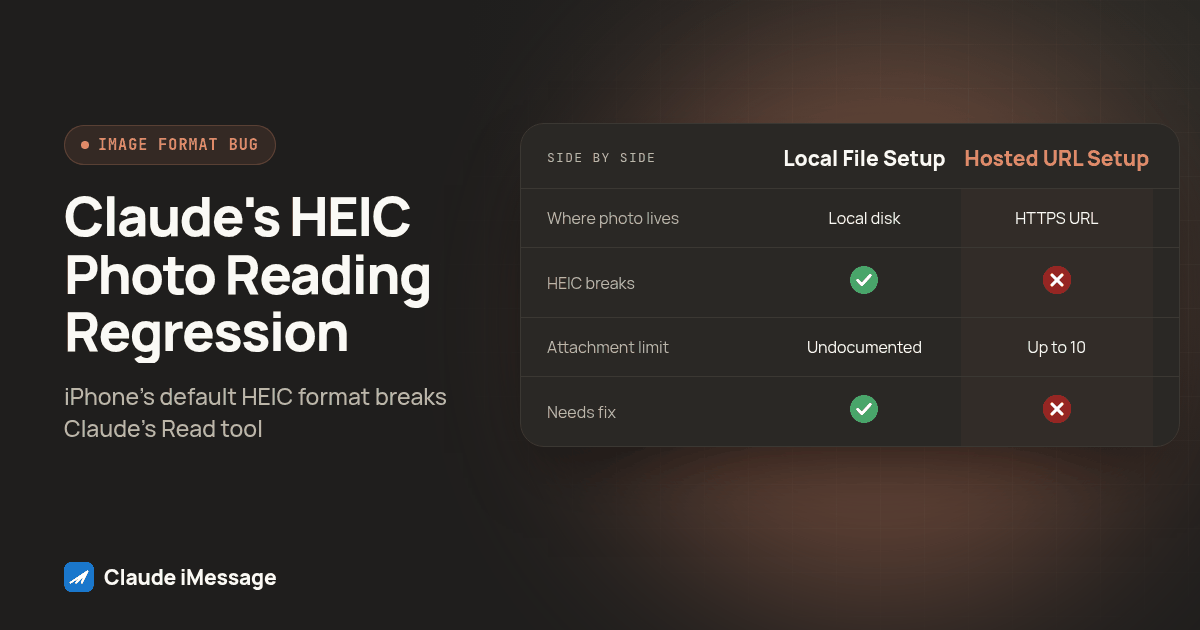
We pulled Beam's live OpenAPI contract to check how a hosted iMessage API actually represents attachments, rather than assume. POST /v1/messages documents an attachments array of up to 10 HTTPS URL strings for outbound sends, and the same shape carries over to inbound message events: attachments arrive as an array of URLs, not as local binaries an agent has to open and decode itself (confirmed live in Beam's OpenAPI contract). Here is what that difference actually looks like side by side.
| Official plugin or local Mac skill | Hosted iMessage API (Beam) | |
|---|---|---|
| Where the photo lives | Local .heic file on disk, read from chat.db |
HTTPS URL inside the inbound event payload |
| How the agent gets it | Claude's Read tool opens the local file directly | Agent fetches or references a URL string |
| What breaks on HEIC | Read tool's HEIC/HEIF decoding regression (issue #2286) | Nothing routes through that specific tool call |
| Attachment limit | Not documented by the plugin's README | Up to 10 attachments per message, per the OpenAPI schema |
| Dependent on a fix | Yes, an unresolved upstream Anthropic issue with no fix date | No, the path that broke is not part of this architecture |
| What it still can't promise | A HEIC fix, since none exists yet | Immunity from every possible image format quirk |
The plugin's own README documents the local file handoff plainly, which is useful for confirming the mechanism rather than guessing at it (github.com/anthropics/claude-plugins-official/blob/main/external_plugins/imessage/README.md). Reading it next to the OpenAPI contract is what made the actual difference obvious: one hands Claude a path on a disk, the other hands it a link.
How Do You Test for This Before a Client's Customer Hits It?
A client's customer is a bad place to discover this. Run this procedure on your own number before anyone else's photo finds the gap.
- From a real iPhone with default camera settings, send one photo to the texting line your agent watches. Do not change the format first; you want the default HEIC behavior.
- Ask the agent directly, in the same conversation: "What's in the photo I just sent?"
- Watch for the specific failure signature, not a generic error: a file size complaint, a response that looks like raw binary characters instead of a description, or the agent flatly stating it cannot access or open the attachment.
- If you can see the raw tool output or logs, check the file extension involved. A
.heicor.heifextension tied to a failure points straight at this regression; a.jpgor.pngfailure is a different bug entirely and this guide will not fix it. - On that same iPhone, go to Settings, then Camera, then Formats, and switch to "Most Compatible," which saves new photos as JPEG. Send a second test photo and ask the same question. If this one reads fine while the HEIC one failed, you have isolated the format, not your connector, as the cause.
- If your agent runs on a hosted API instead of a local plugin, pull one raw inbound event from your logs and confirm the attachment field is an HTTPS URL, not a local path. That confirms the setup is structurally outside the broken code path described in issue #2286, rather than just assuming it from the architecture.
- Repeat this test after any Claude or plugin update. This is an open issue with no fix date, not a patched one, so a clean result today does not guarantee a clean result after the next update.
Does Switching Architectures Mean You Can Stop Worrying About Attachments?
No, and we would rather say that plainly than let anyone walk away overclaiming it. Moving to a connection type where incoming photos arrive as URLs removes this one specific, documented failure from the picture, because the agent never hands Claude's Read tool a local HEIC file to decode. It does not mean every image format question disappears. A URL still points at a real file, and whatever fetches or renders that file still has to deal with the format it actually is. What changes is which tool is responsible for that work, and whether that tool is the one Anthropic's own issue tracker currently lists as broken.
Beam is an independent messaging platform, not a feature built by Anthropic or Apple, so nothing about fixing the Read tool's HEIC regression is in Beam's hands, and nothing about Beam's attachment model required Anthropic's cooperation to document. What Beam controls is the shape of its own API, and that shape is URL based rather than file path based, which is the part of this comparison we can speak to directly rather than guess at.
If you are building or auditing an agent that needs to see what a contact actually sent, start with our iMessage MCP server guide for the connection setup itself, and our guide on building a Claude agent that sends real texts for the broader send and receive architecture. Our Claude Skill vs. business number API comparison goes deeper on the other limits of a one-Mac setup, and our iMessage read receipts and follow-up guide covers what else an agent needs to track once it can actually see a conversation in full. For the general case of running Claude over iMessage at all, our Claude iMessage page is the place to start.
For the hosted side of this specific comparison, Beam's own iMessage API documents the attachment and messaging endpoints directly, which is the other half of the architecture this article compares against the official plugin.
Before you connect
What do teams ask before they connect?
Is this HEIC photo bug something Anthropic has actually confirmed, or is it one developer's theory?
It is a public GitHub issue, filed June 4, 2026, on Anthropic's own claude-plugins-official repository, describing the exact failure: Claude's Read tool lost HEIC and HEIF decoding in a regression around late May 2026, so the iMessage plugin hands the assistant a file path it cannot open. As of this writing the issue is still open, with no close label and no merged fix comment, so it is accurate to call this a known, documented, and still unresolved bug rather than a rumor.
If I'm already running the official Mac based iMessage plugin, how long does it take to confirm I'm hitting this bug?
About five minutes, if you run the test procedure in this guide: send yourself one photo in the iPhone's default HEIC format, ask the agent what is in it, and watch for the specific failure signature of a file size error or a wall of unreadable binary text instead of a normal answer. If a photo sent as a JPEG reads fine but the same photo sent as HEIC fails, you have confirmed the regression on your setup.
Does moving to a hosted iMessage API mean I never have to worry about image attachments again?
No. It means the specific, documented failure in this article, Claude's Read tool choking on a local HEIC file path, does not apply, because a hosted API hands the agent an HTTPS URL instead of a local file. That is a real architectural difference, not a guarantee against every image format quirk; any setup that fetches and decodes images still has to handle whatever format a contact's phone actually sends.
What happens to a photo a contact already sent before anyone noticed the agent couldn't read it?
Nothing happens to the message itself, it stays in the conversation history exactly where it landed, but the agent's reply to that contact already went out without using the photo, so there is no silent retry. The fix is to go back to that conversation, ask the agent to read the attachment again now that the failure mode is known, and if it still cannot, follow up with the contact directly instead of letting the thread sit on an answer that never came.
Keep exploring
Which guides go deeper?
Where do these facts come from?
Checked October 2026.