can claude analyze text messages
By Beam team · Updated
Can Claude Analyze a Text Message Thread, Not Just Send?
Yes. Once Claude is connected to Beam over MCP with read permission, it can call a tool named conversation_read, pull the real message history for a phone number, and reason over that transcript the same way it reasons over any other text in its context window, summarizing a long thread, pulling out what is still open, or flagging what needs a reply. That is a different capability from sending a new text, and it does not require send, publish or book permission to work.
Beam is an independent messaging platform, not an Anthropic or Apple product.
Is Reading a Thread Actually Different From Claude Sending a Text?
Can Claude actually analyze an existing iMessage conversation instead of only sending new ones? Yes, once the connection includes Beam's read permission, which hands Claude a callable tool instead of a plain transcript. Claude decides to call conversation_read, gets back the real messages in that thread tagged by who sent each one, and then does what it already does with any text in its context window: summarize it, extract the open items, or decide that nothing needs to happen yet.
We get this question in almost the same breath as the question that starts every setup guide on this site. A client team we work with described a non-technical partner who would not open a separate app for anything, so the whole AI workflow had to live inside Messages, backlog and all. Once that partner is texting Claude directly, the backlog stops being a side issue. Dozens of real customer threads already sit in that number's history, and the obvious next question is whether Claude can do anything with the ones that already happened, not just the ones that arrive from here on.
Yes, at the protocol level, not just in how it feels to use. Anthropic's own orientation to the Model Context Protocol splits what a connected server exposes into tools, resources and prompts, and it requires every tool to declare a readOnlyHint annotation stating plainly whether that tool only reads data or can also change it. That distinction is not a suggestion a server can ignore. It is baked into the protocol Claude's MCP connector checks before it ever shows you which tools are available.
Beam's own permission model mirrors that split closely enough that it is worth laying out side by side. A connection scoped to read grants workspace_read, assistant_read, contacts_list, conversation_read, numbers_list, drafts_list, calendars_list and calendar_slots, a list where every tool only looks at data. Send sits in its own separate permission tied to a single tool, message_send, and nothing in the read list can touch it. Publish, automation and book are each their own permission too, gating draft_publish, conversation_pause and appointment_book respectively (Beam developer documentation, checked November 2026). You can hand Claude read and never touch the others, and it still gets everything it needs to analyze a thread.
What Does Conversation_Read Actually Hand Claude?
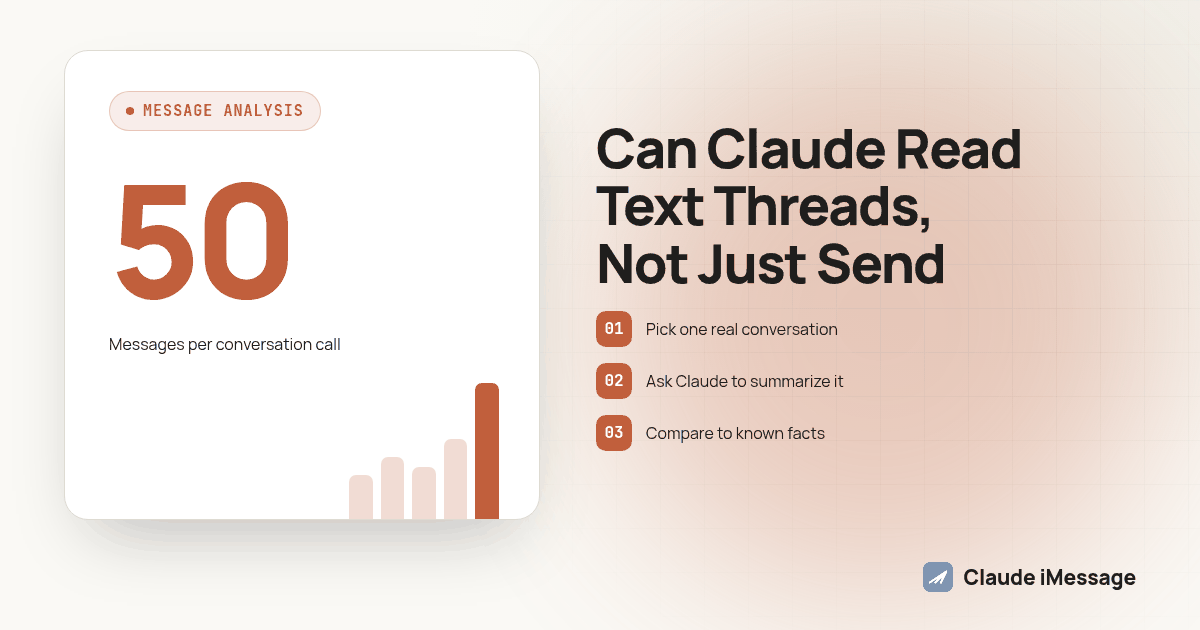
The tool returns the latest 50 messages in a thread for the phone number you give it, and each message carries a sender tag: human, meaning your team through the inbox or the API, bot, meaning Beam's own assistant, or system. Each message also carries its recorded delivery status and any reactions left on it (Beam developer documentation). That sender tag matters more than it sounds like it should. A transcript summary that cannot tell the difference between a human reply and an automated one will happily credit your team for something the bot said on its own, or ask Claude to re-answer a question a teammate already closed out three messages earlier.
This is also where the "untrusted content" line in Beam's own documentation earns its place in the setup conversation. Incoming messages from a contact are treated as data for Claude to read, not instructions for Claude to follow, which is exactly the posture you want when the thread you are handing an AI agent was written by someone outside your company. A customer complaining in all caps does not get to rewrite how your agent behaves just because Claude read it.
How Do You Set Up Read Access Without Opening the Door to Send?
Beam separates the connection you create from the permissions you grant it, so you choose both deliberately rather than getting an all-or-nothing token.
- Sign in to the Beam workspace as its owner, not through Client view, and open Settings, then Developer access, MCP and API.
- Name the connection something you will recognize later, and leave Read and Train selected, which is the default, without adding Publish, Automation, Send or Book yet.
- Click Create connection token and copy it immediately. Beam will not display it again, and it expires after 90 days, so store it in your client's private environment, never in a prompt, a shared document or a screenshot.
- Register the server in Claude Code with one command:
claude mcp add --transport http beam https://beam.aisync.link/mcp --header "Authorization: Bearer $BEAM_TOKEN". - Ask Claude to call workspace_read and tell you the workspace name and ID, and stop there if it is not the workspace you intended to connect.
Agencies running this for clients create one token per client workspace, since a token cannot switch workspaces and access stops the moment that client leaves the agency. Hosted connectors that only support OAuth-only login are not part of this release yet; Claude Code, Codex and Cursor each connect over bearer-header HTTP or a local stdio bridge instead (Beam developer documentation).
What's the Procedure to Test This Before You Point It at a Real Thread?
Run through this with a thread you already know well before you trust a summary of one you do not, so you have something to check Claude's output against.
- Pick one real conversation, ideally a longer customer thread rather than a short one, and note two or three things you already know happened in it.
- Ask Claude to call conversation_read against that phone number and summarize what is resolved, what is still open, and anything that reads like an action item.
- Compare the summary against what you already knew. Did it catch the most recent message correctly? Did it attribute replies to the right sender, human or bot?
- Check whether the thread actually has more than 50 messages. If it does, conversation_read's single call only sees the most recent ones, so ask Claude whether anything before that window seems to be missing context.
- For a thread that runs long, pull the earlier history yourself through Beam's REST endpoint with a higher limit value, then feed that back to Claude before asking it to summarize again, rather than assuming one call saw the whole relationship.
- Ask Claude a specific question the transcript should answer, such as what the customer's last request was, and confirm the answer against the real thread word for word.
- Try the same test on a short thread with only two or three messages, since a short thread is where a summarizer is most likely to pad an answer with filler it invented.
- Only once the read-only behavior checks out on both a long and a short thread should you consider adding train, publish, send or book permission to that same connection.
What Does Each Read Only Tool Actually Return?
| Tool | What it returns | When you would reach for it |
|---|---|---|
| workspace_read | Workspace name and ID | Confirming Claude is in the right workspace before anything else |
| conversation_read | Full message history for one phone number, with sender, status and reactions | Summarizing a thread or pulling out action items |
| contacts_list | The workspace's contacts, with an after cursor for paging | Finding which thread to read when you only have a name |
| assistant_read | The live assistant's current configuration and revision | Checking what the automated bot is already set to say before comparing it against a real thread |
| numbers_list, calendars_list, calendar_slots | Assigned lines and calendar availability | Context Claude can cite while analyzing, not the thread content itself |
What Happens When a Thread Runs Longer Than One Call Can See?
This is the gap most teams hit first, and it is worth knowing about before a summary quietly misses the beginning of a relationship. Conversation_read's 50-message window is generous for a normal support exchange, but a loyal customer with eighteen months of back and forth will blow past it easily. Beam's underlying REST endpoint for the same data accepts a limit value up to 500 messages per call, so the workaround is to pull the fuller history through that endpoint and hand it to Claude as additional context rather than relying on conversation_read alone for anything historical.
The same documentation is also specific about pace: the API allows 60 requests every minute per token, with an explicit warning against polling the same endpoint in a tight loop. A handful of calls to stitch together an older thread fits comfortably inside that limit. Dozens of calls a minute because an agent is re-checking the same conversation over and over does not, and it will get throttled before it gets you a better summary.
Where Does This Fit Next to Sending and Receiving?
Reading a thread for its content is a different question from knowing whether the messages inside it were actually delivered or read on the wire, and it is easy to conflate the two once Claude is involved in both. Our guide to delivered versus read status covers that separate, signal-level problem: what a webhook or a status check confirms about a message's journey, as opposed to what conversation_read tells Claude about what the message actually said. If the thing you are really after is timing a follow-up around whether someone engaged, using read status for a follow up walks through why a reply, not a read receipt, is the signal that exists to gate on.
Analysis also raises a concurrency question the moment you add a second process to the mix. If you later grant send permission on this same connection, or run a separate Claude agent that also replies on the number whose history you are summarizing, our guide to running two Claude agents on one iMessage number covers the lock pattern that keeps both processes from answering the same customer message twice. A read-only connection cannot cause that problem by itself, but most teams who start with analysis add sending not long after, so it is worth knowing the next trap before you hit it.
Once Claude has actually found something in a thread worth acting on, a flagged complaint, a request that needs a human, a question the assistant answered incorrectly, the next step is usually getting that finding attached to the right customer record rather than left sitting in a chat response. Beam's two way CRM sync is what keeps a note, a tag or a follow-up task tied to the actual contact instead of living only in whatever tool surfaced it. For the full permission model this article assumes, start with our iMessage MCP server guide, which walks through every connection path Beam documents, not just the read side covered here.
Why Does Beam Keep Reading This Separate From Doing Anything With It?
Because the two failure modes are completely different, and conflating them is how teams end up either over-restricting Claude or under-restricting it. A tool that can only read has one failure mode: it tells you something wrong. A tool that can send, publish or book has a second, much worse one: it does something wrong, on a real phone number, to a real person, that you cannot quietly undo. Keeping those on separate permissions is not Beam being cautious for its own sake. It is the same logic behind the protocol-level readOnlyHint annotation that Claude's own MCP client checks before showing you a tool at all (Claude Docs: Model Context Protocol connectors).
It is also worth saying plainly, since the topic invites confusion: Beam is an independent messaging platform, not a feature built by Anthropic or by Apple. Claude is the model doing the reading and the reasoning; Beam is the business texting platform that gives Claude a workspace, a phone number and a permissioned tool to call. Neither company reviews or approves the other's product, and nothing here changes how Messages works on an iPhone for anyone not connected through Beam.
Before you connect
What do teams ask before they connect?
Can Claude read messages that arrived before I ever connected it?
Yes. Conversation_read pulls from the same stored history Beam already keeps for that phone number, so messages a lead or customer sent weeks before you created the MCP connection show up the first time Claude reads that thread. Nothing about reading a thread needs the messages to have happened after the connection existed.
Does asking Claude to analyze a thread cost anything beyond what we already pay for sending?
Beam does not publish a separate price for the read tools themselves, so talk to the Beam team about the plan tied to your assigned line and workspace. The cost most teams actually notice sits on the Claude side, since every thread Claude reads and reasons over uses model usage the same way any other long prompt would.
How long does read only setup actually take?
About ten minutes for someone who already has a Beam workspace: create the connection, copy the token once since Beam will not show it again, add the server to Claude Code with one command, then ask Claude to confirm the workspace name before doing anything else. Most of the time in a first setup goes to deciding which permissions to grant, not the mechanics of connecting.
Is letting Claude read an existing conversation a compliance risk?
Treat it the way you would treat giving a new team member read access to that same inbox. Beam's own documentation is direct about trust: incoming messages from a contact are untrusted content, not instructions, and a read only connection cannot send, publish or book anything on its own. The bigger question for most regulated teams is what Claude does with what it reads afterward, not whether it was allowed to read it in the first place.
Do I have to grant send permission just to get Claude to summarize a thread?
No. Read and train are the two permissions selected by default when you create a connection, and conversation_read sits under read alone. A connection scoped to read only cannot place a message on a real phone, cancel one, publish an assistant change or book anything, no matter what you ask it to do.
Keep exploring
Which guides go deeper?
Where do these facts come from?
Checked November 2026.