build an ai agent that can text people
By Beam team · Updated
Build a Claude Agent That Sends Real Texts
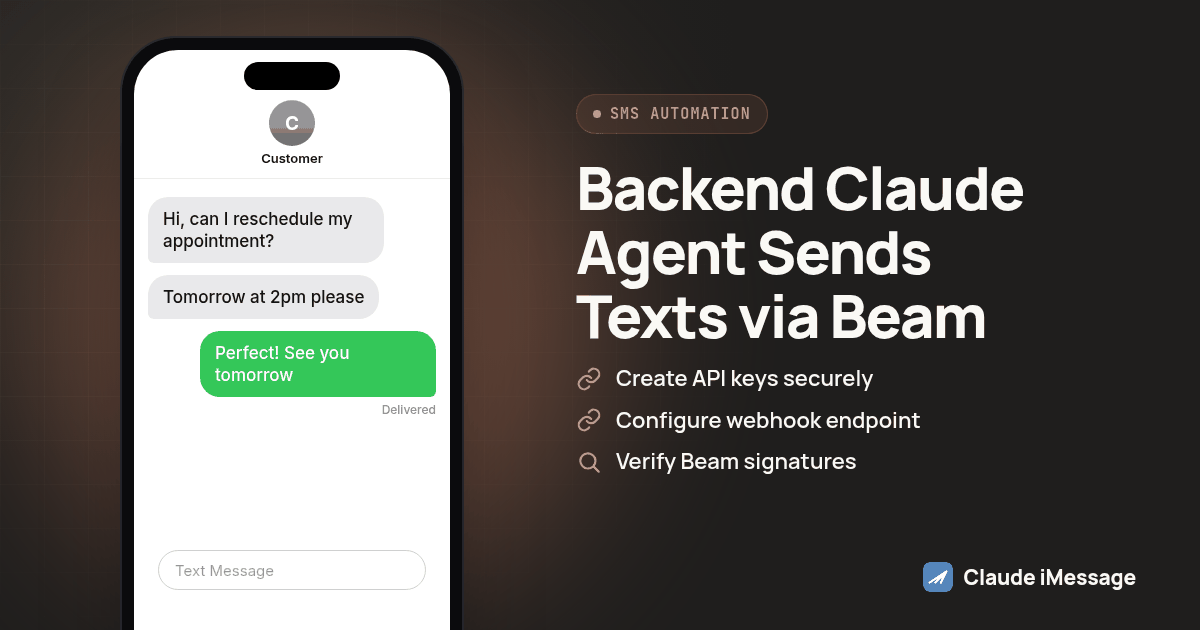
Give your own backend two separate HTTP connections instead of one AI client. Beam pushes a signed webhook to your server every time a contact texts in, your code calls Anthropic's Messages API to generate a reply, and your code sends that reply back out through Beam's REST API. No MCP, no Claude Desktop config file, no terminal session to keep alive. That's the whole architecture.
Beam is an independent messaging platform, not an Anthropic or Apple product.
What Does Building Your Own Claude Texting Application Actually Require?
A developer building a product on Claude asks this question differently than someone setting up a personal assistant. They don't want a desktop app open on a laptop, or a terminal session that dies when the connection drops. They want their own backend, reachable from anywhere, that hears a text come in and answers on whatever schedule the customer sets.
Beam is an independent messaging platform connecting iMessage, RCS and SMS fallback to a dedicated business number. It isn't a feature Anthropic ships inside Claude, and Apple doesn't operate it either; the three setups compared here all reach the same Beam workspace through different doors.
Three pieces, and none of them is a chat client. The first is your own server, running whether or not anyone has a conversation open, since a reply might land well after midnight. The second is Beam, which owns the phone number, handles carrier routing, and tells your server the moment someone texts in. The third is Anthropic's Messages API, called directly over HTTPS, taking the incoming text and a system prompt and handing back a reply your server decides whether to send.
Compare that to what Claude Desktop, Claude Code and Claude.ai's custom connector are built for: a single human's interactive session, where MCP gives that session tools it can call mid conversation, Beam included. That fits an agency owner answering their own leads or a developer testing a prompt, but it's the wrong shape for a product with many customers, since nobody sits in a chat window when a lead texts back days later.
Why Doesn't The MCP Bridge Or Bearer Header Pattern Fit A Product You Ship To Customers?
MCP exists to let an AI client discover and call tools during a live session; Beam documents a stdio bridge for desktop clients and a bearer authenticated HTTP endpoint for clients like Claude Code that register it with one command. Both assume a running client that holds a conversation and decides, turn by turn, whether to call a Beam tool. Your product doesn't have that client running per customer; it has a server that wakes on an inbound webhook, does one job, and goes quiet again. Beam's connection tokens, created under Developer access, then MCP & API, are scoped to read, train, send or book permissions and expire after ninety days, a permission model built for a human operator that adds nothing to a backend that just needs a stable key it controls.
How Does One Text Message Actually Flow Through This Architecture?
Start from the moment a contact replies. Beam detects whether their phone supports blue bubbles, confirms the message landed, and fires a signed message.received event at the HTTPS endpoint you configured under Settings, then Event webhooks. Your server reads that event, pulls out the sender's number and the text body, and calls Anthropic's Messages API with that text as the user turn and your system prompt setting the assistant's voice and scope.
Claude's response comes back as plain text, nothing more. Your code decides what happens next, maybe logging the reply and checking it against a safety rule, then calls Beam's POST /v1/messages endpoint with the recipient's number and the generated text. Beam queues that send, picks iMessage or SMS automatically based on the device, and most messages go out within minutes once they clear the pacing queue protecting your number's reputation.
Two separate Beam credentials show up in a full build, and conflating them is the most common setup mistake we see. The workspace API key, found under Settings, then API key, authenticates every /v1/messages call above using the x-api-key header. The MCP connection token, from Developer access, is a different credential entirely, meant for an interactive client calling tools, and a backend built this way never touches it.
How Does This Compare To The Desktop Bridge And Claude Code's Bearer Header?
| Webhook plus REST (this guide) | Claude Desktop stdio bridge | Claude Code bearer header | |
|---|---|---|---|
| Who decides when to call Beam | Your own server code, on every inbound webhook | Claude, mid conversation, when its MCP client offers the tool | Claude, mid conversation, the same way |
| Credential used | Beam workspace API key (x-api-key) plus a webhook signing secret |
Beam MCP connection token in claude_desktop_config.json |
Beam MCP connection token in a terminal header |
| What has to stay running | Your HTTPS server, reachable at any hour | Claude Desktop, open on one machine | A terminal session or long running Claude Code process |
| Works without a human present | Yes, by design | No, a person drives the conversation | Mostly no, though a scripted session can run unattended briefly |
| Fits a product serving many customers | Yes | No, it's one person's desktop | No, it's one terminal's session |
| Anthropic surface used | Messages API, called directly from your code | Claude's own chat interface | Claude's own chat interface |
Neither existing path disappears once you build this. A developer still wants Claude Code open while debugging the server itself, and an agency owner answering leads by hand still benefits from the desktop bridge. What changes is which one answers a customer's text once the product ships.
Should Your Backend Call Beam Directly, Or Use Anthropic's MCP Connector Instead?
There's a fourth option worth naming: Anthropic documents an MCP connector feature on the Messages API itself, letting a request call a remote MCP server's tools without running any client at all (platform.claude.com: MCP connector). That would let your backend hand Beam's MCP endpoint straight to Claude and let the model decide whether to call message_send on its own.
We'd still default to the plain REST approach for a texting product, for one reason: a connector gives Claude the ability to call tools, not your code a checkpoint in front of that call. A scheduling bot or a lead qualifier often needs a human review or a business rule to block a send before it reaches a real phone, and keeping your server as the thing that calls Beam keeps that checkpoint. If your case doesn't need one, the connector is real and documented, and our iMessage MCP server guide covers the same tool catalog it would be reaching into.
How Do You Build This, Step By Step?
- Create an Anthropic API key and store it in your secret manager, never in a client bundle.
- In Beam, sign in as workspace owner and open Settings, then API key, for the workspace key your REST calls will use.
- Open Settings, then Event webhooks, paste your server's HTTPS endpoint, and save. Copy the signing secret Beam shows here into the same secret manager.
- Build one HTTPS endpoint that reads the raw request body before anything else touches it, since signature verification needs those exact bytes.
- Verify the
Beam-Signatureheader with HMAC-SHA256 against your secret, and reject anything timestamped more than five minutes old. - Branch on the event's
type. Handlemessage.receivedfor inbound replies; handlecontact.opted_outby halting any scheduled follow up for that number. - On
message.received, callPOST https://api.anthropic.com/v1/messageswith your Anthropic key, a system prompt scoping the assistant's topic, and the contact's text as the user turn. - Run Claude's returned text through whatever review your case needs, a length check, a keyword filter, a human queue, before treating it as final.
- Send the approved reply with
POST https://beam.aisync.link/v1/messages, authenticated with your workspace key, passing the number and the text. - Store the returned message id and check its delivered status later, rather than trusting the queued response as proof it reached a phone.
- Run a full round trip on a contact you control, text in, Claude reply, text out, before pointing this at a contact you don't.
Diagram: phone, then an arrow labeled "message.received webhook" into a server box, then an arrow up to Anthropic labeled "Messages API call" and back down, then an arrow labeled "POST /v1/messages" from the server back to the phone.
Here's the core of steps six through nine as a small Bun server:
import crypto from "node:crypto";

function verifySignature(raw: string, header: string | null, secret: string): boolean {
  const m = /t=(\d+),v1=([a-f0-9]+)/.exec(header ?? "");
  if (!m) return false;
  const expected = crypto.createHmac("sha256", secret).update(`${m[1]}.${raw}`).digest("hex");
  return crypto.timingSafeEqual(Buffer.from(expected), Buffer.from(m[2]));
}

async function replyWithClaude(text: string): Promise<string> {
  const res = await fetch("https://api.anthropic.com/v1/messages", {
    method: "POST",
    headers: { "x-api-key": process.env.ANTHROPIC_API_KEY!, "anthropic-version": "2023-06-01", "Content-Type": "application/json" },
    body: JSON.stringify({
      model: "claude-sonnet-5",
      max_tokens: 400,
      system: "You answer texts for a scheduling line. Keep replies under three sentences.",
      messages: [{ role: "user", content: text }],
    }),
  });
  return (await res.json()).content[0].text;
}

async function sendBeamReply(to: string, message: string) {
  await fetch("https://beam.aisync.link/v1/messages", {
    method: "POST",
    headers: { "x-api-key": process.env.BEAM_API_KEY!, "Content-Type": "application/json" },
    body: JSON.stringify({ to, message }),
  });
}

Bun.serve({
  port: 3000,
  async fetch(req) {
    const raw = await req.text();
    if (!verifySignature(raw, req.headers.get("Beam-Signature"), process.env.BEAM_WEBHOOK_SECRET!)) {
      return new Response("bad signature", { status: 401 });
    }
    const event = JSON.parse(raw);
    if (event.type === "message.received") {
      await sendBeamReply(event.data.from, await replyWithClaude(event.data.body));
    }
    return new Response("OK");
  },
});
No MCP client, no stdio process, no config file for Claude to read; both outbound calls are plain fetch requests, with your own code sitting between them.
What Should You Test Before The First Real Customer Texts In?
A webhook returning a 200 and a send returning queued both look finished, but neither proves the architecture is ready. Confirm signature verification actually rejects a tampered or replayed payload, not just a correctly signed one. Send a message to a contact you control and verify the reply inside Beam itself rather than trusting your server's success response. Fire a contact.opted_out event and confirm it halts any scheduled follow up immediately, restart the server and confirm it doesn't lose track of which webhooks it already processed, and run Claude's system prompt against an off topic or hostile message, not only a friendly one. The opt out check deserves attention: an agent that keeps replying after a contact texts STOP turns a working integration into a compliance problem.
What Happens When A Webhook Never Arrives?
Beam's event delivery is push once, with no automatic retry on this version, so a dropped connection, a badly timed deploy, or a server that's briefly down can cost you a message.received event with nothing re-sent. That's worth planning for before a customer says Claude never answered.
The fix is reconciliation, not a longer timeout. Poll Beam's conversation history for active numbers on a schedule, not a tight loop, and compare it against what you stored. Our sister site covers the full recovery pattern: Beam's guide to missed webhook recovery.
Do You Still Need A2P Registration And Consent Rules?
Nothing about Claude generating the reply changes who you're allowed to contact or how. iMessage and RCS delivered through Beam avoid the carrier A2P 10DLC registration process that governs local SMS numbers, while SMS fallback, used when a recipient's phone or carrier doesn't support RCS, stays subject to the applicable carrier A2P requirements. A contact who texts STOP has to actually stop receiving messages, not just stop receiving ones your code notices.
If you're weighing whether to skip Beam and run your own Mac based iMessage automation instead, that's a separate decision with its own uptime and account risk tradeoffs; our build your own iMessage API guide walks through what that takes. And if a bearer header connection through Claude Code is what you're running today alongside this backend, our Claude Code iMessage setup guide covers that separately, since both can run against the same Beam workspace at once.
Before you connect
What do teams ask before they connect?
Does this architecture need Beam's MCP server or a connection token at all?
No. A custom backend only needs the workspace API key from Settings, then API key, sent in the x-api-key header. Beam's connection token, created under Developer access, then MCP & API, exists for interactive AI clients like Claude Desktop, Claude Code and Claude.ai's custom connector, where Claude decides when to call a tool during a chat. Your server already decides when to call Claude and when to call Beam, so it never needs that token.
How long does it take to get a webhook plus REST build like this running?
A developer who already has an Anthropic API key and a Beam workspace can wire the webhook receiver, the signature check and the two outbound calls in an afternoon. Trusting it with real customers takes longer, since you still need to watch it handle a missed webhook and a contact texting STOP before handing it a live phone number.
Does Beam publish pricing for the REST API, and what does this add to my Anthropic bill?
Beam doesn't publish per message or per seat pricing on its site, so talk to its team once you know your expected volume. Your Anthropic usage is billed separately, driven by how much text your prompts and replies use, not by Beam.
Does sending through this architecture still require A2P 10DLC registration?
It depends on the channel. iMessage and RCS through Beam avoid the carrier A2P 10DLC registration process, while SMS fallback, used when a recipient's device doesn't support RCS, stays subject to the applicable carrier A2P requirements. None of that changes because Claude drafted the reply instead of a person.
If I already set up the Claude Desktop bridge or Claude Code's bearer header connection, do I have to undo that to build this?
No. Those two connections use Beam's MCP connection token and live inside Claude Desktop's config file or Claude Code's terminal registration. A webhook plus REST backend uses a separate workspace API key and your own server, so all three can run side by side against the same Beam workspace.
Keep exploring