test ai texting agent before production
By Beam team · Updated
How to Test a Claude Texting Agent Before Going Live
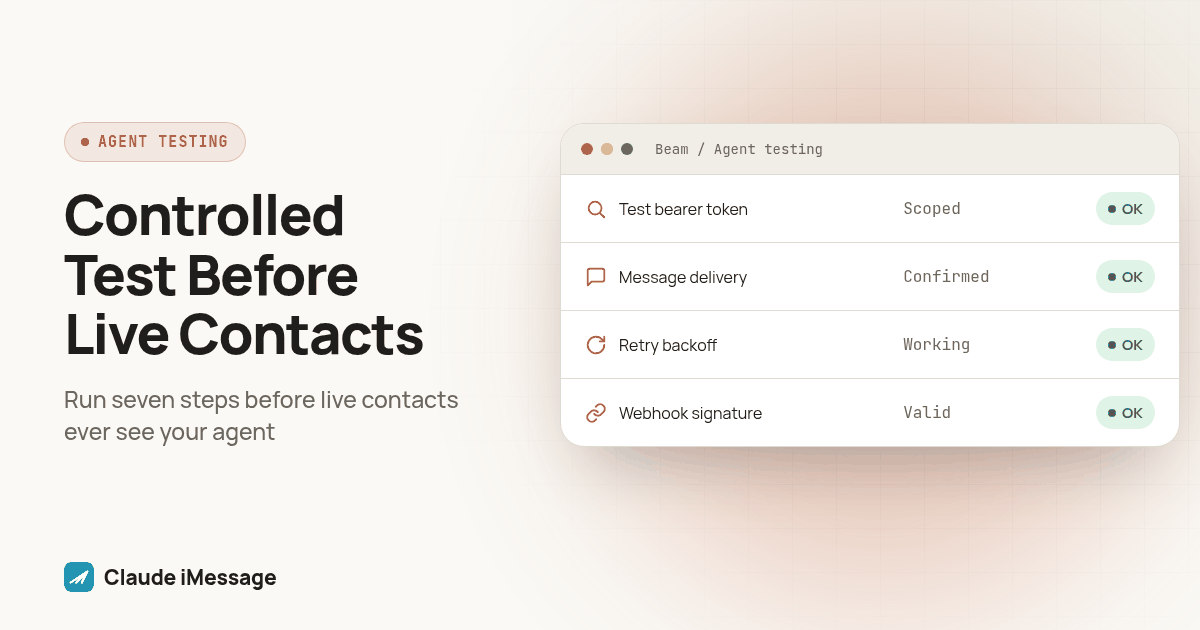
Before a Claude texting agent touches a real contact list, run it through a short, repeatable procedure on a number and thread you control: send a fixed test message, confirm the reply reaches the right agent, check delivery with GET /v1/messages/{id} instead of trusting a webhook alone, and force a 429 on purpose to watch the retry and backoff path work. Only after all of that passes clean do you roll out to a small slice of the real list, then the rest.
Beam is an independent messaging platform, not an Anthropic or Apple product.
Why Do You Need a Pre Launch Test Before Real Contacts?
We run new Claude texting agents through this same short sequence before they ever see a live contact, because the alternative is finding out an agent's first real failure in front of a customer instead of in front of us. Most of what breaks in production was never invisible, just never tested. A missed webhook, a rate limit hit mid-burst, a reply landing in the wrong conversation thread: each one shows up in a five-minute test if you know to look for it, and each looks fine right up until it isn't.
The pattern shows up across the industry, not just in texting agents. ChatSpark's 2026 post on testing an AI customer service agent before it talks to customers makes the same case: a demo that goes well is not the same as an agent checked against its real failure modes (chatspark.io). A 2026 dev.to piece on why AI agents break in production argues the gap is almost always between what a developer tested and what the agent meets once real traffic arrives, not a flaw in the model itself (dev.to). Apple's own developer forum carries a long-running thread on testing an iMessage extension from the recipient's point of view before shipping it, the same instinct at smaller scale: you cannot trust what an integration does until you watch it from the other side of the conversation (developer.apple.com).
A Claude texting agent adds its own failure points on top of that pattern. The agent has to receive an inbound message, decide what to do, call a tool to send a reply, and trust the reply left the building, and any of those four steps can fail silently. Beam is an independent messaging platform, not a feature built by Anthropic or Apple, so the agent, the sending platform, and the phone network are three separate systems that all have to agree before a text reaches someone's iPhone. A pre launch test checks all three at once instead of guessing which one is responsible when something goes wrong later.
What Do You Need in Place Before You Run the Test?
Three things need to exist before the first test message goes out, and skipping any of them just moves the discovery of a missing piece from test time to go-live day.
First, a number and thread you actually control: your own phone, or a teammate's, never one that belongs to a real lead or customer. Second, a Bearer token created in Beam Settings under Developer access, MCP & API, scoped to read and train permissions early on and upgraded to send permissions only once you are ready to test outbound messages for real. That token is created by a workspace owner, expires after 90 days, and cannot be displayed again after creation, so store it in your agent's configuration immediately instead of planning to copy it later. Third, if your agent depends on event webhooks rather than polling, an HTTPS endpoint already configured in Settings under Event webhooks, since testing that path after the fact means retesting everything that depended on it.
Decide now which connection your agent actually uses in production, because that is the one you test. Claude Desktop's stdio bridge, Claude Code's MCP registration, a custom connector with a Bearer token typed into claude.ai, or your own backend calling POST /v1/messages directly all reach the same workspace, but they are not interchangeable for testing. Test whichever one your production setup actually uses; confirming a different path works tells you nothing about the one that will run.
What Is the Seven Step Pre Launch Test Procedure?
Run these in order, on the controlled number and token from the last section, before anything touches a real contact.
- Reserve a dedicated test number and thread. Pick a Beam line and a contact you control, and keep that pairing reserved for this test and every retest after a future change. Never reuse a production contact's thread for testing.
- Create a scoped test token. Give it only the permissions the current test stage needs, not the full permission set your production agent will eventually hold.
- Send one fixed test message and confirm where the reply lands. Pick an exact phrase to reuse every time, something unambiguous like "test ping one," and send it to the test number. Confirm the reply comes back in the same thread, authored by the agent you expect, not a different assistant or a stale session left over from an earlier test.
- Check delivery with the status endpoint, not the webhook alone. Call
GET /v1/messages/{id}using the id returned when you sent the message, and confirm thestatusfield moves fromqueuedtosenttodelivered, matching Beam's own API reference for that field. A webhook that never fires because of a misconfigured endpoint can hide a real delivery failure behind an agent that looks fine; the status endpoint tells you the truth regardless of whether your webhook is listening. - Pull the same message back through the list endpoint.
GET /v1/messages/list?to=<test number>&status=deliveredshould return that same message, confirming your agent's own query path for conversation history, separately from the single-message lookup in the step before it. - Force a 429 on purpose and watch the backoff. Write a short script that calls your wrapped send function fast enough, inside one minute, to cross the documented 60-requests-per-minute ceiling per Bearer token against your own test contact. Confirm each retry waits progressively longer rather than firing right back, and that it reuses the same
request_keyinstead of minting a new one, since a fresh key on retry is how a throttled send turns into a duplicate text. Our guide to Beam's MCP rate limit covers the full backoff pattern if your agent does not have one yet. - Verify the webhook signature separately from the REST checks above. Configure the endpoint, trigger a real
message.sentormessage.deliveredevent with another test message, and confirm your code validates theBeam-Signatureheader rather than accepting any payload that arrives at that URL. A webhook that fires but is never verified is a security gap wearing a passing test.
Screenshot: a split terminal showing the test script's output on the left, counting outgoing requests inside a rolling one-minute window, next to a browser panel on the right showing the same message's status field moving from queued to sent to delivered after a call to GET /v1/messages/{id}.
Why Can't You Trust the Webhook Alone to Confirm Delivery?
A webhook tells you Beam tried to reach your endpoint. It does not tell you the endpoint was listening, that the request did not time out, or that your handler did not throw before it finished. Treating a webhook firing as proof a message delivered skips the failure mode most likely to bite a new integration: an endpoint that is misconfigured, behind a firewall rule nobody remembered, or simply down during a deploy.
The two checks exist for different reasons, and a pre launch test should use both. A webhook event like message.sent, message.delivered, or message.failed proves only that Beam called your endpoint and got a response back; it proves nothing if that endpoint was down, misconfigured, or if the signature check was never wired in. GET /v1/messages/{id} proves the true current status of one message, independent of whether any webhook fired, though it is a single snapshot rather than a log of every status change over time. GET /v1/messages/list?status=... proves delivery status across many messages at once, useful for confirming your agent's conversation history logic end to end, but it tells you nothing the single-message lookup has not already confirmed, just at a different scale.
Running the status endpoint check in step 4 of the test procedure above is what catches a webhook endpoint that silently never worked, before that same gap shows up during a real customer's first conversation instead of during your own test.
How Do You Rehearse the 429 Retry and Backoff Path Before Go Live?
A rate limit you have never hit is a rate limit you have never actually handled, no matter what the code looks like on the page. Zuplo's writeup on shipping an MCP server without a rate limit describes this pattern, a retry path written but never exercised, as one of the most common ways a demo-stage integration breaks once real traffic arrives (zuplo.com). The fix is not better retry code in the abstract; it is forcing the real throttling response on purpose, in a test, where a duplicate test text costs nothing.
Step 6 above is the whole rehearsal, but three things are worth watching closely while you run it. The delay before each retry should grow, not stay flat, since a flat interval just means you hit the ceiling again on the next attempt. The request_key on every retry should match the one on the original call, because Beam returns the stored result for a reused key instead of repeating the send, which is the entire mechanism that keeps a throttled retry from becoming a second real text to the same contact. A genuinely different failure, like a 403 from a contact who already opted out, should still surface as its own error rather than getting caught by the same backoff logic and silently swallowed.
If your agent calls Beam through MCP tool calls rather than REST directly, the same ceiling applies, since the request still carries the same Bearer token either way. Test whichever path your production agent actually uses; confirming the other one works tells you nothing new.
How Do You Roll Out to Real Contacts Without Skipping the Small List Step?
Passing the seven-step procedure means the agent works correctly against a number you control. It does not mean the agent is ready for your full contact list on day one, and treating those as the same milestone is how a working test turns into a bad first impression at scale.
Move in three stages instead of one jump. Start with your own team, a handful of internal numbers that are not the same test thread from the procedure above but are still people who know a test is happening. Then move to a small, genuinely real slice of the contact list, chosen specifically rather than sampled randomly, people you can call personally if something goes wrong. Only after that slice behaves as expected do you open the agent to the rest of the contact base. Each stage should use the same delivery status check and webhook verification from the procedure above, not a lighter version of it, since the point of staging the rollout is catching a problem that only shows up at a larger scale, not re-confirming what the first test already proved.
Keep the ability to pause the agent at each stage. If something looks wrong during the small-list stage, the fix is almost never to push forward faster; it is to stop, return to the controlled test number, and reproduce the problem somewhere it cannot reach another real contact while you work on it.
For the underlying send and receive architecture behind all of this, our iMessage MCP server guide covers the connection setup itself, and our build your own iMessage API guide covers the raw HTTP path if your agent talks to Beam directly rather than through an AI client. If your connector stops responding partway through a test, our guide to fixing a Claude iMessage connector that stops working walks through the four most common causes before you assume the whole integration is broken.
For the GoHighLevel side of a similar problem, confirming a reply actually reaches the right place in a CRM thread, Beam's own guide on building an AI text message responder covers the same verification instinct from the agency side of a texting setup.
Before you connect
What do teams ask before they connect?
How long does a full pre launch test of a Claude texting agent actually take?
Budget a couple of hours the first time, not a few minutes. Reserving a test number, scoping a Bearer token, sending the fixed test message, checking delivery status, forcing a 429 and watching the backoff, and verifying the webhook signature separately each take a few minutes on their own, but the value is in doing all of them in order rather than stopping once the first message arrives. On every later agent change, the same checklist runs in well under thirty minutes because the setup is already in place.
Do I need a webhook endpoint configured before I can run this test, or can I test with polling only?
You can run the first stages of this test with status polling alone, since GET /v1/messages/{id} works with nothing else configured. But the test is not complete until you have also confirmed the webhook path, because a production agent that relies on message.sent and message.failed events needs that signed delivery separately verified, not assumed to work because polling worked.
Does testing on a real phone number risk sending anything to real contacts by accident?
Only if the test number is reachable by anyone outside your own team, which is exactly what this procedure is built to prevent. Every step in this guide runs against a number and a contact you control, and the rollout stage at the end is the only point where the agent is allowed anywhere near a real contact, and even then only a small slice of the list, not the full base.
Can I reuse the same Bearer token in testing that I plan to use in production?
You can, but we would not. A token scoped to read and train permissions during testing, then upgraded to send and book permissions only once the test procedure passes clean, gives you a clear point to revoke a token that misbehaved during testing without touching whatever is already running in production.
Keep exploring