claude skill send text message no mac
By Beam team · Updated
Do 'No Mac Needed' Claude Skills Send Real iMessages?
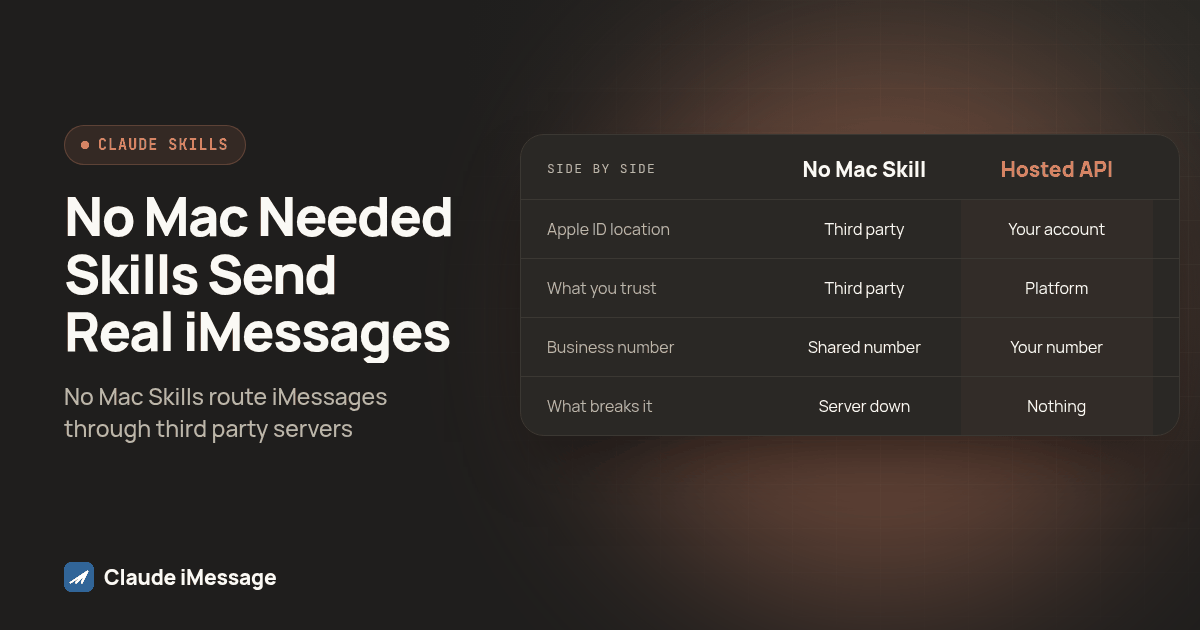
A "no Mac needed" Claude Skill for iMessage still sends through a Mac somewhere, it just is not yours. The skill folder you install calls out to a remote server that someone else runs, signed into an Apple ID you do not control, so you are trusting a stranger's machine with your messages instead of plugging in your own. Read the skill's source before you point it at a real number, or build on a hosted iMessage API where you own the number and the uptime.
Beam is an independent messaging platform, not an Anthropic or Apple product.
What Is a "No Mac Needed" Claude iMessage Skill?
We keep getting asked a version of the same question lately: a developer finds a Claude Skill on a marketplace page that promises iMessage sending with "no Mac required," installs it in a few minutes, and wants to know what is actually happening on the other end. It is a fair question. Our earlier guide to Claude Skills for texting covered the Mac-based version of this, the kind that drives AppleScript and reads a local chat.db file. This piece is about the newer category that skips that step entirely, at least from the installer's point of view, and what that actually requires behind the curtain.
A Claude Skill is a folder of instructions and scripts Claude reads to learn a task, not a hosted service Anthropic runs for you. That part does not change between the Mac-based skills and the newer ones. What changes is where the script points. A Mac-based skill like the one documented at github.com/dvdsgl/claude-imessage runs AppleScript against the Messages app sitting right next to it, on the same machine Claude Code is running on. A "no Mac needed" package, by contrast, ships a script that opens a network connection instead of a local one.
That single difference, local call versus network call, is the entire story. Marketplace listings for both styles sit side by side on sites like skills.lc and mcpmarket.com, and research for this piece found a specific package distributed under the name emotion-machine-org/imessage-with-no-mac, installed with a single npx skills add command. Nothing about that install step tells you where the message actually goes once you run it. You have to go looking for that yourself, and most people do not.
We think that gap matters more than the marketing copy around these packages suggests. A Skill that promises to skip the Mac is not describing a new way for iMessage to work. iMessage is Apple's protocol, and sending through it still requires a device signed into an Apple ID somewhere in the world. The Skill is only promising to move that requirement off your desk.
How Can a Skill Send a Real iMessage Without a Mac in the Loop?
Open the source of one of these packages and the pattern is almost always the same: a thin script, usually just enough code to format a request and fire it at an endpoint, with the real sending logic living somewhere else entirely. That somewhere else is a server, and that server is doing exactly what our earlier guide described for a local Mac skill, just on hardware you cannot see.
Three shapes show up most often once you start reading these:
The first is a shared Mac mini or cloud Mac instance that the package author keeps running, signed into one Apple ID, with every installer's messages routing through that same device and that same number. The second is a thin wrapper around an existing hosted iMessage API, where the "no Mac needed" package is really just a friendlier install experience in front of someone else's infrastructure. The third, and the one worth watching for most closely, is a package that asks for your own Apple ID credentials during setup so it can drive a remote Mac on your behalf, which solves the "no Mac on my desk" problem but hands your Apple ID to a service you just met.
None of these shapes are inherently dishonest. A developer who builds a hosted Mac farm and sells access to it has built a real product, and saying so plainly would be accurate marketing. The problem is that "no Mac needed" rarely says which of the three shapes you are getting, and the difference between them changes who can read your messages, whose number shows up to the person on the other end, and what happens the day that developer's server goes down.
What Should You Check Before Installing One on a Real Business Number?
We ran this checklist against a package from one of the marketplaces listed above before writing this, treating a throwaway test number the way you should treat any new connector, not a client's real line. Here is the order we would walk a developer through before letting one of these touch a number that matters.
- Open the SKILL.md file and read it fully before installing anything. It should describe what the skill does on each step, not just show a demo gif.
- Search the skill's scripts for any URL the code calls out to. If you cannot find one, that is itself a finding, since every "no Mac" package has to reach a remote machine somewhere.
- Check whether setup asks for your own Apple ID and password, or an API key for someone else's service. Both are real patterns, but they carry different risks and you should know which one you are agreeing to.
- Look up who publishes the package and whether the listing names a real company or a pseudonymous account, using the marketplace page itself as your starting point.
- Send a first test message to a number you own, then check the sender identity on the receiving end. If it shows a number or Apple ID you do not recognize, that confirms whose device actually sent it.
- Ask what happens to message history. A package with no stated retention policy is a package where you do not know who else can read a conversation after it happens.
- Only after the above steps pass would we connect it to anything beyond a personal test thread, and never to a first client conversation without that client knowing a third party's infrastructure is involved.
That last step is the one developers skip most often, and it is the one that turns a reasonable weekend experiment into a real liability once a client's number is on the other end of it.
How Does a "No Mac" Skill Compare to a Hosted iMessage API or a Local Mac Skill?
Once you have read a package's source, the three options line up pretty cleanly against each other.
| Local Mac Skill | "No Mac Needed" Skill | Hosted iMessage API or MCP server | |
|---|---|---|---|
| Where the Apple ID lives | Your own Mac, signed in by you | Someone else's server or Mac you never see | A dedicated line inside your own account |
| What you had to trust | Your own machine | A third party's infrastructure and uptime | A platform built and billed for this job |
| Business number | Your personal number, not shared | Usually a shared number across installers | A dedicated number your team controls |
| Inbound handling | Only when Claude Code is open and asked | Depends on the package, rarely documented | Pushed to a webhook as soon as it arrives |
| What breaks it | The Mac sleeping or signing out | The publisher's server going down or shutting off | Nothing tied to your own hardware |
| Who it fits | A solo builder automating their own texts | Quick personal experiments, not production | A team sending to real clients or customers |
Our BlueBubbles versus hosted API guide walks through a related version of this same tradeoff for the free self-hosted route, which shares the "someone else's server, someone else's Apple ID" risk with the "no Mac needed" Skills covered here. The pattern repeats because the underlying constraint, a real device signed into a real Apple ID, never actually goes away. Every shortcut just relocates it.
Diagram: a simple flow chart showing three boxes, "Your Claude Code," "No Mac Skill script," and "Someone else's server + Apple ID," connected by arrows, with a question mark over the third box labeled "whose machine is this."
Why Build Directly on a Hosted Number Instead of Installing Someone Else's Skill?
We would still tell a solo builder to try one of these packages on a personal test thread, the same way we would point anyone at a local Mac skill for a quick experiment. The problem shows up the moment a second person, a client, or a real business number enters the picture, because every advantage of the "no Mac needed" install, the speed, the lack of setup, comes from someone else having already made the decisions you would normally make yourself.
Building directly on a hosted iMessage API flips that. You register the number, you hold the credentials, and you can see exactly which server is sending on your behalf because it is the one you set up. An MCP server sitting in front of that same number gives Claude Code the same kind of natural-language access the Skills promise, read a thread, draft a reply, send a message, without asking you to trust a package you found on a marketplace page with your Apple ID or your client's conversation history.
One agency owner described the version of this problem that pushed them off a laptop-based setup entirely: everything they had automated ran off one machine, and the moment they closed the lid or lost internet, it all stopped, while their non-technical partner would not open yet another app just to check on it. A "no Mac needed" Skill solves the laptop part of that complaint and quietly reintroduces the same fragility one layer further away, on a server you cannot see and cannot restart yourself.
Beam is an independent messaging platform, not a feature Anthropic or Apple ships, so none of the Skills or marketplace packages described above are something Beam controls or vouches for. What Beam builds is the other side of this comparison: a hosted line a team can actually own. Beam's own iMessage API documents the endpoints directly for a developer who wants to skip the guesswork and wire a real number into Claude, a CRM, or an agent without wondering whose Apple ID is behind it.
Before you connect
What do teams ask before they connect?
How long does it take to install a 'no Mac needed' Claude iMessage Skill?
Installing the package itself is quick: run the install command, add the configuration the SKILL.md file asks for, and send a test message. The slower part is everything after that, reading the source to see where the message actually travels before you trust it with a real contact.
Can a 'no Mac needed' Skill really send iMessage without a Mac anywhere in the chain?
No. Apple's iMessage protocol still requires a device signed into an Apple ID somewhere in the chain. A 'no Mac needed' Skill moves that Mac off your own desk and onto a server you do not control, it does not remove the requirement.
Is it safe to point a 'no Mac needed' Skill at a real client or business number?
Not until you know whose Apple ID and whose server the Skill is actually using. Read the SKILL.md and any scripts it ships before connecting it to a number that matters, and test on a throwaway contact first.
What happens if I outgrow a 'no Mac needed' Skill and need a dedicated business number later?
You start over. The Skill's hosted number, conversation history and any automation built around it belong to whoever runs that backend, not to you, so moving to your own number means rebuilding the connection from scratch.
Keep exploring
Which guides go deeper?
Where do these facts come from?
Checked November 2026.