bluebubbles
By Beam team · Updated
BlueBubbles vs a Hosted iMessage API for an AI Agent
BlueBubbles is a real, working bridge from a Mac's Messages app to a REST and WebSocket API, and it costs nothing to run. But it depends entirely on one Mac staying signed in, awake, and current on macOS, which makes it a reasonable choice for a developer automating their own number and a risky foundation for a business number an AI agent is sending and receiving from. A hosted iMessage API trades that dependency for a workspace and a token, at the cost of using someone else's infrastructure instead of hardware you control.
Beam is an independent messaging platform, not an Anthropic or Apple product.
Is BlueBubbles a Real Alternative to a Hosted iMessage API?
We get the "can I just run BlueBubbles instead" question from builders almost every time they start wiring an AI agent to iMessage, usually right after they find the project on GitHub and realize it is free. It is a legitimate question, and the answer is not a flat no. BlueBubbles genuinely works, and for a solo project it can be the right call. The problem is that nobody asking the question is usually asking about a solo project. They are asking about an agent that needs to be reachable overnight, with nobody standing by to notice if it goes quiet, and that is a different bar entirely.
BlueBubbles is a free, community maintained Mac server that watches the Messages app and exposes what it sees through a REST and WebSocket API, confirmed directly in its own setup documentation (docs.bluebubbles.app/server). That is not marketing language from a competitor trying to make it sound smaller than it is. It is an accurate description of what the project actually ships, and it is genuinely useful: plenty of people run it today to bring iMessage to an Android phone or to give a script access to their own texts.
What it is not is a second company offering the same kind of service a hosted iMessage API sells. There is no account team, no uptime commitment, and no support line, because there is no business behind it taking on that responsibility. Beam is an independent messaging platform, not a feature built by Anthropic or Apple, and BlueBubbles is a separate, unrelated project maintained by its own community; neither one is affiliated with the other, and mixing them up is an easy way to assume capabilities that are not actually there.
What Does BlueBubbles Actually Require to Run?
The requirements are specific, and they explain most of what follows in this guide. BlueBubbles runs on "any macOS device running Sierra and newer, with iMessage activated successfully," and the documentation is explicit that El Capitan is no longer supported, recommending Catalina or Big Sur for stability (docs.bluebubbles.app/server). The server itself is written in TypeScript and leans on two mechanisms that have nothing to do with BlueBubbles' own code: AppleScript to send messages and create chats, and a polling read of the Messages app's chat.db database to notice when something new arrives.
Both of those mechanisms only function because a real Messages app is running, signed in, and awake on that specific Mac. BlueBubbles cannot run as an ordinary Linux or Windows container, since it depends on macOS specific components that do not exist anywhere else; the only workaround is a macOS virtual machine with its own working iMessage configuration, which adds a second layer of fragility rather than removing one (docs.bluebubbles.app/server). None of this makes BlueBubbles poorly built. It is just an accurate description of what driving the real Messages app from outside actually takes, on any Mac, for any script, written by anyone.
What Does the Private API Add, and What Can Break It?
Plain AppleScript and database polling get you sending and basic receiving, but a lot of what an AI agent actually wants, read receipts, typing indicators, reactions, group chat management, sits behind BlueBubbles' separate Private API layer. That layer has been tested on macOS 10.13 (High Sierra) through macOS 13 (Ventura) on both Intel and Apple Silicon Macs, with the documentation openly noting it is untested, not guaranteed broken, on versions outside that range (docs.bluebubbles.app).
For a long stretch, installing the Private API meant also installing a separate helper tool called MacForge by hand, which was a second thing that could silently fall out of sync after a macOS update. That changed with server version 1.8.0, released in August 2023, when the project removed MacForge as a dependency entirely: "BlueBubbles will automatically inject the Private API helper into the Messages app" instead of asking anyone to install it separately (GitHub release notes, v1.8.0). That same release also added Google Sign-In to automate the Firebase setup step, which had been the other common place a first time install went sideways.
Here is the part worth knowing before you build on it: the project's most recent server release at the time of writing is version 1.9.9, dated May 2025, which means well over a year has passed without a new build addressing whatever Apple has changed in Messages since (BlueBubblesApp/bluebubbles-server releases). A community project moving at that pace is not a red flag by itself. It is a maintenance reality to plan around, the same way you would plan around any dependency that updates on its own schedule rather than yours.
What Should You Test Before Trusting BlueBubbles to Carry an AI Agent?
If you are going to put an agent behind BlueBubbles instead of a hosted API, run it through this before anything touches a real contact.
- Install the server on a dedicated Mac, signed into the Apple ID that actually owns the number your agent will send from, not a shared personal laptop someone also uses for email.
- Grant Full Disk Access and Automation permissions so AppleScript can drive Messages and the poller can read
chat.db, confirming both in System Settings rather than assuming the install script handled it (docs.bluebubbles.app/server). - Enable the Private API if your agent needs read receipts, typing indicators, or reactions, and check that it shows as connected inside the BlueBubbles server's own status panel, not just installed on disk.
- Send one test message through the BlueBubbles REST API directly, before wiring in any agent code, to a number you control, then confirm it actually appears inside Messages.app on the server Mac itself.
- Let the Mac install a routine macOS update and reboot on its own, then send the same test message again without anyone touching the keyboard, and see whether the server comes back up by itself or needs someone to relaunch it.
- Put the Mac to sleep overnight the way it would sit on an ordinary evening, then try reaching it first thing the next morning, since a server that silently stopped responding at midnight is the scenario that actually matters for a live agent.
- Write down who holds the Apple ID password and the Mac's login credentials, because a single person holding both, with nobody else able to get back in if that person is unreachable, is its own point of failure separate from anything technical.
Screenshot: a BlueBubbles server status panel open on a Mac, showing the Private API indicator and a live log line for a test message, next to a terminal window running curl against the same server's REST endpoint.
Who Owns the Number, and What Happens to Uptime When the Mac Isn't?
Ownership is the question that gets skipped in most quick comparisons, and it is the one that matters most once a real client or a real customer is on the other end of the thread. BlueBubbles does not issue a number. It sends through whichever Apple ID and phone number were already signed into Messages before the server ever started watching it, which means the number was personal or business property long before BlueBubbles entered the picture, and it stays that way the entire time BlueBubbles is running.
Uptime follows the same logic. BlueBubbles' own documentation does not publish an uptime figure, define what happens during a macOS update, or describe a multi-device failover path, because none of that exists as a built-in feature; the server is simply whatever that one Mac is doing at any given moment (docs.bluebubbles.app/server). A hosted iMessage API is built the other way around: the number is something the provider issues and operates, and keeping it reachable is the provider's job rather than a side effect of whether somebody's Mac happened to stay plugged in overnight.
How Does BlueBubbles Compare to a Hosted iMessage API for an AI Agent?
Running the test procedure above is what turns this from a theoretical tradeoff into a list worth handing to anyone actually deciding between the two.
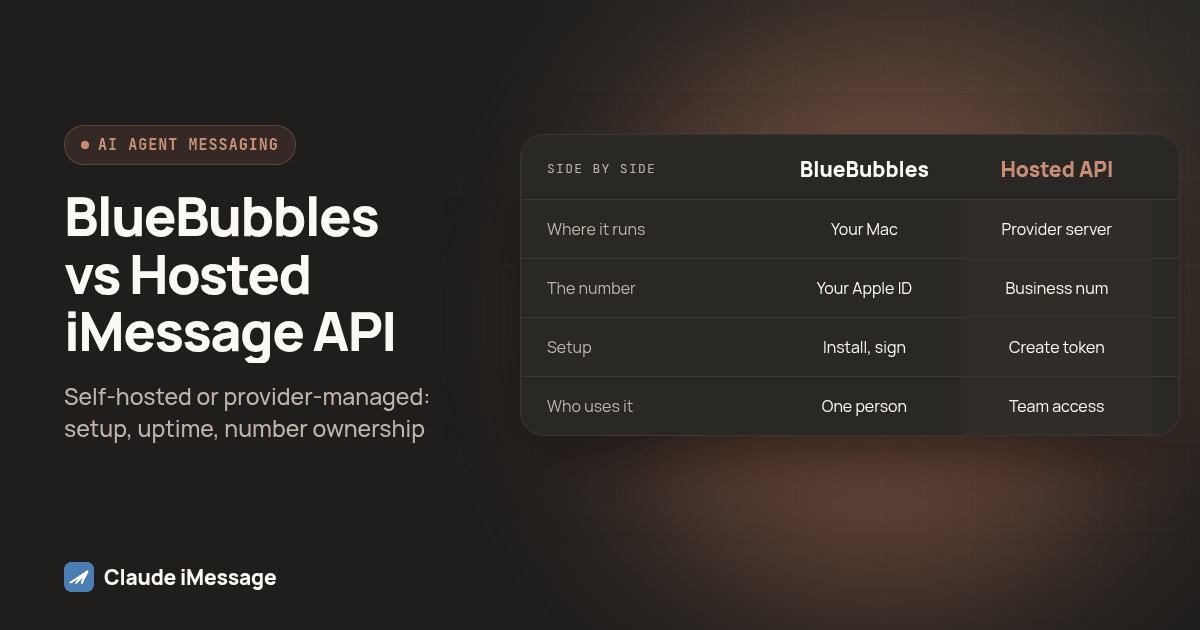
| BlueBubbles, self hosted | Hosted iMessage API | |
|---|---|---|
| Where it runs | One Mac you provision and keep signed in | A server the provider operates and keeps online |
| The number | Your existing personal or business Apple ID | A dedicated business number the provider issues |
| Setup | Install the server, sign into Messages, grant macOS permissions, optionally enable the Private API | Create a workspace, generate a token, register your agent |
| Inbound delivery | Whatever your own polling or relay setup can forward | Pushed to your endpoint through a webhook as it arrives |
| Who can use it | One Apple ID, effectively one machine | A team, through separate logins or tokens |
| Maintenance | Community releases, on their own schedule | Ongoing vendor maintenance as part of the service |
| What actually breaks it | Sleep, sign out, a stalled macOS update, a forgotten password | Not the Mac on your desk; a different failure surface entirely |
That last row is the one worth sitting with. A hosted API can still have an outage. It is just never your laptop's outage, and nobody on your team is the one who has to notice the Mac went to sleep.
Which Setup Should Your AI Agent Actually Run On?
Ask a short set of questions before committing to either path, because a yes to more than one of them is usually a sign BlueBubbles alone will not carry the weight you are about to put on it. Does a real client or customer, not just you, need to reach this number? Does the agent need to respond overnight or on a weekend without anyone nearby to notice a stalled Mac? Would losing that one machine for a day actually cost the business something? Does more than one person on your team need access to the same conversation history?
If none of those apply, BlueBubbles is a fair place to start, and our guide on Claude Skills for texting versus a business number API covers the same single-machine tradeoff from a different angle, worth reading since the two setups fail for nearly identical reasons. If you are already leaning hosted but still want your agent talking to a local client rather than a server directly, our Claude Desktop MCP bridge guide walks through that configuration. BlueBubbles is also not the only third party project in this space; our OpenClaw guide covers a different self hosted bridge that comes up in the same searches and gets confused with other names for similar reasons.
For agencies weighing the same hosted versus self run decision on the device side rather than the API side, Beam's own guide on choosing a hosted iMessage provider versus running your own devices walks through the setup time, ownership, and uptime tradeoffs from that angle. And if your agent is going to talk to a business number directly over HTTP rather than through a desktop client at all, our build your own iMessage API guide covers that path end to end, which is the same destination this entire comparison has been pointing toward for anyone whose agent has outgrown a single Mac.
Before you connect
What do teams ask before they connect?
How long does BlueBubbles actually take to set up compared to a hosted iMessage API?
Expect substantially more hands on work with BlueBubbles, since you are provisioning a Mac, signing it into Messages with a real Apple ID, granting macOS permissions, and optionally installing the Private API helper yourself. A hosted iMessage API skips the hardware step entirely: you create a workspace, generate a token, and register your agent against a number the provider already operates. Neither path is instant, but one of them starts with dedicating a Mac and the other does not.
What does the BlueBubbles Private API add, and why does it sometimes show as not connected?
The Private API is an optional add-on that gives BlueBubbles deeper access to Messages: read receipts, typing indicators, reactions, and chat management beyond what plain AppleScript and database polling can do on their own. It used to depend on a separate helper tool installed by hand, which was a common place for a setup to drift out of sync after a macOS or Messages update. Newer server versions inject that helper automatically, but a not connected status almost always traces back to a permission Messages lost after an update, not a flaw in the agent calling it.
Can an AI agent call the BlueBubbles REST API the same way it would call a hosted iMessage API?
Structurally yes, since both expose HTTP endpoints an agent's tool calling code can hit to send a message or check status. The difference is what sits behind that endpoint. A BlueBubbles call only works while the specific Mac running the server is awake, signed in, and reachable on your network or through whatever relay you set up, while a hosted API stays reachable because the provider, not a desk in your office, keeps the server running.
If BlueBubbles stops working, can we switch to a hosted iMessage API without losing the number?
Not cleanly. BlueBubbles sends through whichever Apple ID is already signed into Messages on that Mac, so the number was never issued by BlueBubbles in the first place, it is just your personal or business Apple account. Moving to a hosted provider means getting a separate number from that provider rather than porting the one Messages was using, since a hosted iMessage line and a personal Apple ID are not the same kind of number to begin with.
Keep exploring
Which guides go deeper?
Where do these facts come from?
Checked October 2026.