claude code hooks
By Beam team · Updated
Claude Code Hooks Worth Texting Yourself For
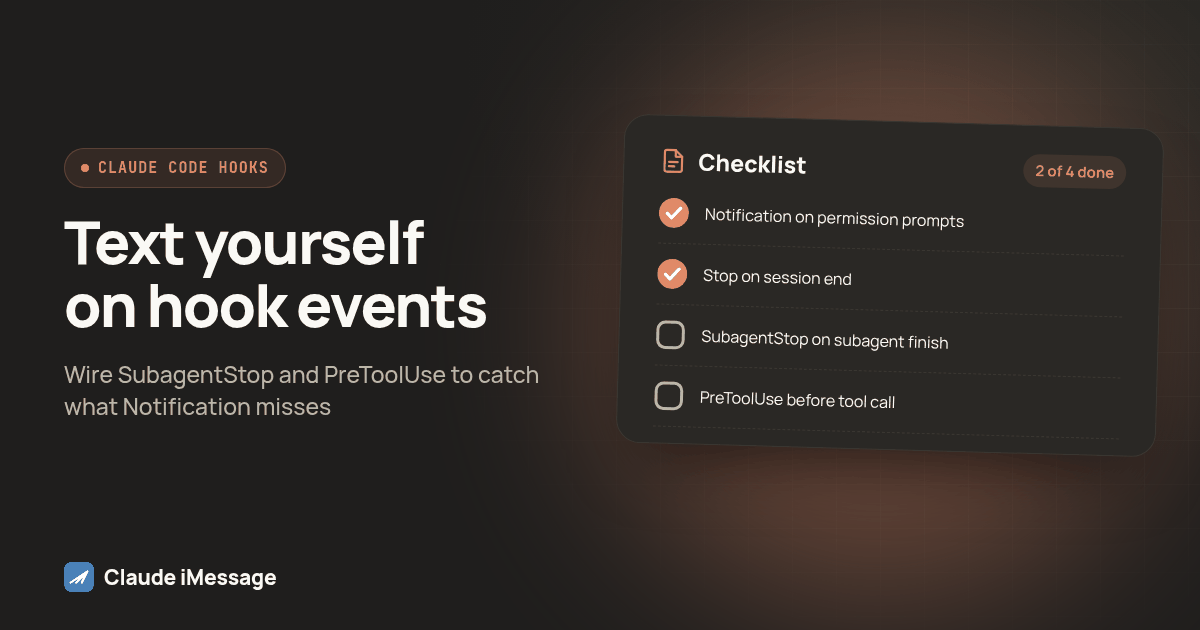
Add SubagentStop for background subagents finishing and a PreToolUse hook matched to the Bash tool for commands worth a heads up before they run. Filter PreToolUse in the script itself, by checking the command string against a short list of known slow patterns, since the matcher field only filters by tool name. Debounce SubagentStop with a timestamp file so several subagents finishing within seconds of each other produce one text, not several.
Beam is an independent messaging platform, not an Anthropic or Apple product.
Which Hook Events Does A Notification Only Setup Actually Miss?
A Notification hook texts you when Claude needs a decision, and a Stop hook texts you when a turn ends. Neither covers a subagent finishing in the background, and neither warns you before a slow Bash command starts, only after. Wire SubagentStop and a matcher filtered PreToolUse hook alongside what you already have, and you get a heads up before the wait and a signal the moment a delegated task clears, without a text for every routine tool call in between.
We covered the core three events, Stop, StopFailure and Notification, in our earlier guide on texting yourself when a Claude Code task finishes. That setup answers one question well: is the main session done, and did it end clean or with an error? It says nothing about a subagent Claude spun up to handle a side task, and nothing until after a command has already finished running.
Claude Code's hooks reference documents several more events than those three, each tied to a different moment in a session: PreToolUse before a tool call executes, PostToolUse after one finishes, UserPromptSubmit when you submit a prompt, SessionStart and SessionEnd around the session's lifetime, and SubagentStop when a subagent completes (Claude Code hooks reference). Every event carries a shared set of fields on stdin, including a session id, the working directory and event name, plus fields specific to that event, like the tool name and input for PreToolUse (Claude Code hooks reference). Two of those extra events solve the two gaps above directly: a subagent finishing, and a slow command starting.
What Does SubagentStop Actually Tell You That Stop Does Not?
SubagentStop fires each time a subagent launched through the Task tool finishes, separate from the main session's Stop event (Claude Code hooks reference; the Agent SDK documents the same lifecycle distinction for programmatic agents at Agent SDK hooks). The gap it closes: the main session may still be reading or waiting on a second subagent after the first one already returned a result worth knowing about, and Stop will not text you until the whole turn wraps up, possibly minutes later.
This matters most when a subagent runs something long and unpredictable: a research pass across a large codebase, a multi file refactor handed off on its own, or a test subagent working through a slow suite while the main session moves on. A short lived subagent that answers a quick lookup and returns in a few seconds is not worth a text, and wiring SubagentStop without planning for that produces the kind of noisy afternoon that makes people disable notifications entirely.
The fix is not to skip the event, it is to debounce it. A small script that writes a timestamp to a file and skips the text if the last one went out within the past ninety seconds turns a burst of subagents finishing close together into one text instead of several:
#!/usr/bin/env bash
LAST_FILE="$HOME/.claude/.last-subagent-text"
NOW=$(date +%s)
if [[ -f "$LAST_FILE" ]]; then
  LAST=$(cat "$LAST_FILE")
  if (( NOW - LAST < 90 )); then
    exit 0
  fi
fi
echo "$NOW" > "$LAST_FILE"
~/.claude/notify-beam.sh "A subagent finished"
That window is a starting point, not a rule, so adjust it to how many subagents your own sessions tend to run at once.
Why Text On PreToolUse Instead Of Waiting For The Bash Call To Finish?
PreToolUse fires before a tool call runs, and its script can read the exact tool input, including the Bash command itself, from the JSON Claude Code sends on stdin (Claude Code hooks reference). That timing is the point: a text saying a build just finished is useful once it arrives, but a text saying a build is about to start, and tends to take a few minutes, lets you decide whether to wait at your desk or do something else.
The matcher field on a hook entry filters by tool name only, a string like Bash or Write, not by the content of the call. A matcher of Bash already cuts out every Read, Edit and Glob call Claude makes, but it still fires on every single Bash command, from a one second ls to a ten minute test suite. Filtering the rest has to happen inside the script, by checking the command text itself against patterns known to run slow:
#!/usr/bin/env bash
INPUT=$(cat)
CMD=$(echo "$INPUT" | python3 -c "import json,sys; print(json.load(sys.stdin).get('tool_input', {}).get('command', ''))")
SLOW_PATTERN='npm run build|npm test|pytest|go test|docker build|terraform apply|cargo build|rsync |git clone'
if echo "$CMD" | grep -Eq "$SLOW_PATTERN"; then
  SHORT="${CMD:0:60}"
  ~/.claude/notify-beam.sh "About to run: $SHORT"
fi
exit 0
Exiting zero matters as much as the pattern list. A PreToolUse hook that exits with code 2 blocks the tool call and sends its stderr back to Claude as the reason, the right behavior for a safety check but wrong for a heads up (Claude Code hooks reference). The slow command should still run as planned; the text is a courtesy, not a gate.
How Do You Keep PreToolUse From Texting You About Every Command?
The pattern list above is the filter, and the list you choose matters more than the mechanism. A list that is too broad, matching npm or git alone, texts you for commands that finish in under a second and trains you to ignore the channel. Too narrow a list misses the slow commands specific to your own stack: a data migration script, a long deploy command, a training job. Start from commands that made you wait last week, not a generic list copied from elsewhere.
A second layer worth adding once the pattern list is working: skip the text for commands run in the first few minutes of a session, since you are almost certainly still watching anyway.
Which Hook Should You Wire To A Text, And Which Should Stay Quiet?
| Hook event | Fires when | Noise risk if wired directly | Recommended filter | Worth a text for most sessions |
|---|---|---|---|---|
| Notification | Claude needs input or a permission prompt | Low; fires rarely on its own | Matcher on permission_prompt and agent_needs_input only |
Yes |
| Stop | The main session's turn ends cleanly | Low | None needed | Yes |
| StopFailure | The main session's turn ends in an error | Low | None needed | Yes |
| SubagentStop | Any subagent finishes, including short ones | High with several subagents | Debounce by time, or skip known quick subagent types | Only with a debounce |
| PreToolUse on Bash | Before every Bash command, slow or not | Very high, fires constantly | Command pattern match against known slow operations | Only when filtered |
The two events from the earlier guide sit at the top because they fire rarely enough that no extra filtering is necessary. SubagentStop and PreToolUse sit lower because they fire often, and unfiltered, either one turns a useful idea into a muted thread within a day.
How Do You Wire All Four Hooks Together, Step By Step?
- Confirm the Stop and Notification hooks from the basic setup already work: a real text lands on your phone when a session ends and when a permission prompt waits.
- Save the SubagentStop debounce script from above as
~/.claude/notify-subagent.shand make it executable withchmod +x. - Save the PreToolUse filter script as
~/.claude/notify-slow-bash.sh, also executable, and edit theSLOW_PATTERNlist to match your own stack instead of the generic examples above. - Open
.claude/settings.jsonfor the project, or~/.claude/settings.jsonfor every project, and add aSubagentStopentry pointing at the debounce script. - Add a
PreToolUseentry with"matcher": "Bash"pointing at the filter script, in the samehooksobject as Stop and Notification. - Restart Claude Code, or start a fresh session, so the edited settings file is read again.
- Run a short Bash command that is not on the slow pattern list and confirm no text arrives, then run one that is on the list and confirm one does.
- Launch two subagents that finish within a few seconds of each other and confirm you get one text, not two, before trusting the debounce window on a real session.
The combined hooks object looks like this once all four events are wired:
{
  "hooks": {
    "Stop": [
      { "hooks": [{ "type": "command", "command": "~/.claude/notify-beam.sh done" }] }
    ],
    "StopFailure": [
      { "hooks": [{ "type": "command", "command": "~/.claude/notify-beam.sh error" }] }
    ],
    "Notification": [
      {
        "matcher": "permission_prompt|agent_needs_input",
        "hooks": [{ "type": "command", "command": "~/.claude/notify-beam.sh decision" }]
      }
    ],
    "SubagentStop": [
      { "hooks": [{ "type": "command", "command": "~/.claude/notify-subagent.sh" }] }
    ],
    "PreToolUse": [
      {
        "matcher": "Bash",
        "hooks": [{ "type": "command", "command": "~/.claude/notify-slow-bash.sh" }]
      }
    ]
  }
}
Diagram: a timeline with a main session bar running left to right. A shorter subagent bar branches off and ends early at a dot labeled SubagentStop. A Bash command marker sits partway along the main bar, with an arrow pointing left to a dot labeled PreToolUse, before the command runs. The main bar ends at a dot labeled Stop. Each dot connects down to a small phone icon.
What Should You Test Before You Trust This Overnight?
Every hook here calls the same underlying notify script from the basic setup, a curl against Beam's iMessage API with a workspace key read from an environment variable, never pasted into the script itself. A new filter script needs its own test pass before an unattended run, not just confirmation that the underlying send works:
- Run the PreToolUse filter script by hand with a fake JSON payload on stdin, containing a command from your slow list, and confirm it sends a text.
- Run it again with a command not on the list and confirm it sends nothing; a filter that texts on everything is no filter at all.
- Trigger two subagent completions close together and confirm the debounce script's timestamp file is actually written to the path you expect, not silently failing because the directory does not exist.
- Check Beam's own conversation record for each test message rather than trusting a script's exit code; a queued send is not a delivered one.
- Leave the full set of hooks running for one real overnight session, and compare what arrived against what you expected: one slow command heads up, one subagent text if applicable, and a final Stop or StopFailure text.
What Breaks This, And How Do You Fix It?
The most common failure with a new PreToolUse filter is a parsing step that silently fails before the pattern match even runs. If the Python one liner pulling tool_input.command out of the JSON errors on invalid JSON, the script exits with nothing sent, and nothing in Claude Code flags that failure. Test the parsing step alone, against the exact JSON shape Claude Code sends, before trusting the grep pattern.
The second common failure is a debounce file that works on your own machine but not in whatever shell runs Claude Code overnight, because $HOME resolves differently or the write directory does not exist yet there. Create it explicitly, with mkdir -p "$(dirname "$LAST_FILE")", rather than assuming it already exists.
How Does This Fit With An Agent That Decides For Itself When To Text?
Everything above runs from the outside: a hook watches for a moment in the session and fires a fixed message, regardless of what Claude is thinking at the time. Connecting Claude Code to iMessage through Beam's MCP server is the opposite approach, where Claude itself holds a tool it can call mid session, and decides in the moment whether a text is worth sending, with a draft you can review before it goes out. Our MCP server guide goes deeper into which tools that connection exposes and how permissions scope what the agent can do with them.
Neither approach replaces the other. A hook catches moments you already know matter, a session ending, a subagent clearing, a slow command starting, without asking Claude to decide every time. An MCP connection catches what you cannot predict, because the agent noticed something mid conversation a fixed hook never would. Most setups we build run both: hooks for predictable milestones, MCP for judgment calls.
Before you connect
What do teams ask before they connect?
How long does it take to add SubagentStop and a filtered PreToolUse hook on top of an existing Stop and Notification setup?
About twenty minutes if the Stop and Notification hooks from the basic setup are already wired and tested. Most of that time goes into writing the slow command pattern list for the PreToolUse filter and testing it against a few real commands, not into the hook configuration itself.
Does filtering PreToolUse by command pattern slow down the Bash call itself?
No, not meaningfully. The filter script runs once, checks a string against a short pattern list, and exits. That adds a fraction of a second ahead of a command that is, by definition, already one of the slower ones in the session.
Can this same matcher filtered approach work with other tools besides Bash?
Yes. The matcher field in a PreToolUse hook entry can target any tool name Claude Code exposes, so the same pattern works for a Write hook that only texts on changes to a production config path, or a WebFetch hook that only texts when the target domain is not on an allowlist. Bash is simply the tool most likely to run something slow enough to wait on.
Does texting yourself through these hooks need A2P 10DLC registration or carrier approval?
No, not for texting your own number. Beam's iMessage and RCS channels do not require the carrier A2P 10DLC registration process that SMS numbers go through, and a hook that only ever messages your own phone from your own workspace is a low risk case. That changes once the same hook pattern points at a teammate or a client instead of you.
If I already set up the Stop and Notification hooks from the other guide, do I have to redo them?
No. SubagentStop and the filtered PreToolUse hook are additions to the same hooks object in settings.json, not a replacement for Stop and Notification. All four can run side by side, each watching a different moment in the session.
Keep exploring