moltbot
By Beam team · Updated
Clawdbot, Moltbot, OpenClaw: Which iMessage Setup Applies
Clawdbot, Moltbot and OpenClaw are the same self-hosted AI agent project at three points in its name history, not three competing tools, so a tutorial written under any of those names still broadly applies to today's OpenClaw iMessage channel. The setup still requires a macOS host, the imsg CLI, and two manually granted permissions, and it still breaks on a headless Mac unless someone logs in once before handing the Gateway to a LaunchAgent. A hosted iMessage line skips all of that by issuing its own business number instead of borrowing your Apple ID.
Beam is an independent messaging platform, not an Anthropic or Apple product.
What Happened to Clawdbot, Moltbot, and OpenClaw?
We have fielded the same confused message more than once this year from builders comparing a Clawdbot guide from last November against a OpenClaw doc that looks nothing like it on the surface. Nothing about the iMessage channel broke between those two names. What changed was the label on the box, twice, in four days, during a stretch where the project was moving faster than most people could keep their bookmarks current. This guide lines up the rename timeline against the actual setup requirements, so you can tell which parts of an old tutorial still apply and which parts were only ever cosmetic.
The project launched under the name Clawdbot in November 2025 and spread quickly as a self-hosted assistant that could reach a user across WhatsApp, Telegram, Discord, Slack and iMessage from one Mac or server a person controlled themselves. The name borrowed heavily from Claude, and Anthropic objected to a Claude-echoing name attached to a separate project it did not build or endorse. The team renamed it to Moltbot on January 27, 2026, a change Forbes covered the same day under a headline framing it as the assistant shedding its old skin (forbes.com). That second name did not last the week; on January 30, 2026, the project renamed again to OpenClaw, the name it carries now, according to the project's own history recorded on Wikipedia (en.wikipedia.org/wiki/OpenClaw). Creator Peter Steinberger built the project to stay self-hosted and MIT licensed, with no subscription or hosted tier of its own.
Three names in roughly ten weeks is unusual even by the pace AI tooling moves at, and it explains why search results and older forum threads are a mix of all three. None of those renames touched the underlying code for the iMessage channel. A Clawdbot-era tutorial walking through imsg, Homebrew and macOS permissions is describing the same mechanism OpenClaw ships today, just under an earlier name on the title bar.
Do Old Clawdbot or Moltbot Tutorials Still Work?
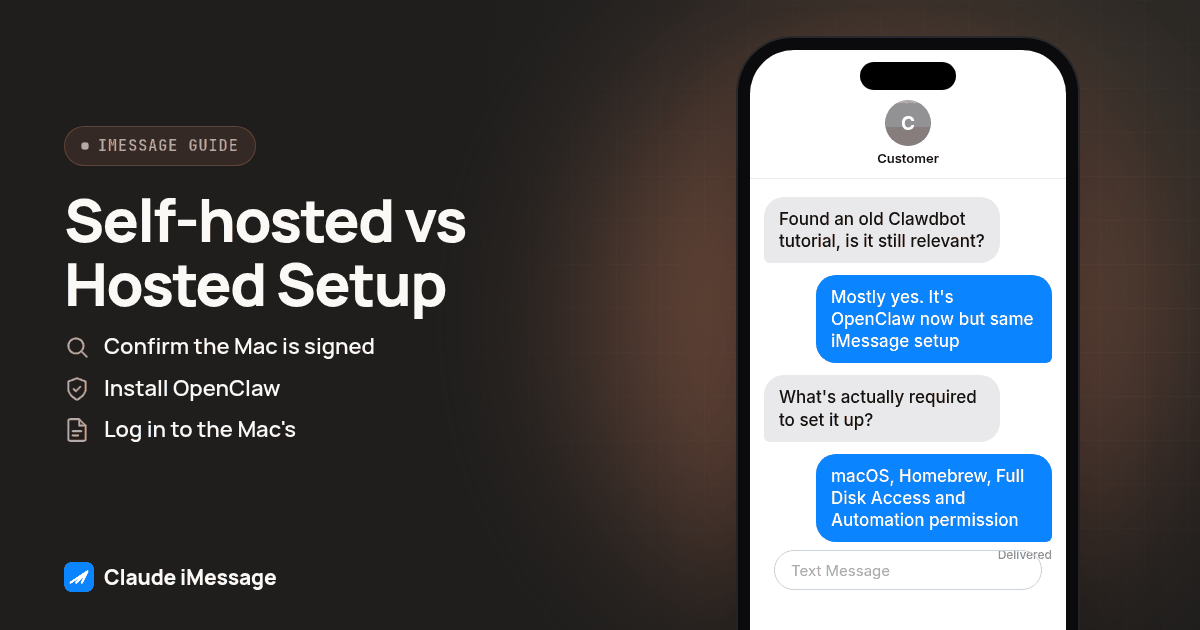
Mostly, yes, for the parts that matter. Current setup documentation describes the exact same install flow a Clawdbot-era guide would have pointed at: install imsg through Homebrew, grant it Full Disk Access and Automation permission in macOS System Settings, and run the Gateway on the same signed-in Messages host the whole time (docs.openclaw.ai). What changed between names is cosmetic: the binary and command name, any logo in a screenshot, and references to a settings panel that may have moved since. One requirement never moved at all underneath any version of this project's name: there is no public Apple iMessage API to call instead, so every one of these names has always driven the real Messages app on a real Mac, through the same kind of automation, rather than through an API Apple publishes for anyone to use.
If you are following a guide that still says Clawdbot or Moltbot, treat the command syntax as a reference point rather than gospel, and check the current docs for the exact flag names and install path before you run anything. The permission model, the macOS-only requirement, and the reason it breaks on a headless box have not moved at all.
What Does OpenClaw's Official iMessage Setup Actually Require?
Four things, and all four show up the same way regardless of which name was on the project when you first read about it.
A macOS host is non-negotiable. OpenClaw's iMessage channel runs through imsg, and imsg only works on a Mac signed into the same Apple ID Messages uses to send and receive, per the project's own setup documentation (docs.openclaw.ai). No Linux or Windows equivalent exists, because the mechanism depends on driving an actual instance of Apple's Messages app, not a protocol Apple exposes to outside software.
Homebrew installs the imsg CLI as part of OpenClaw's setup flow, which is the one step that genuinely differs from a raw script you would write by hand, since it wraps the automation commands the rest of the channel depends on.
Full Disk Access gets granted manually in macOS System Settings so imsg can read the Messages data store and notice new messages arriving. Nobody can grant this permission from the command line or script it ahead of time; someone has to open System Settings and flip it on for the specific binary.
Automation permission gets granted the same manual way, because sending a message means imsg is directing the Messages app itself to act, not posting to an API. Apple treats one app controlling another as something a person has to approve once, by hand, the first time it happens.
Put together, no public Apple iMessage API sits behind any of this. Every self-hosted bridge in this category, OpenClaw included, automates the same consumer app you would use yourself, which is exactly why the permission prompts exist in the first place and exactly why picking a different install method cannot skip them.
Why Does the iMessage Channel Break on a Headless or SSH Gateway?
This is the failure we hear about most, and it has nothing to do with which name the project was using when someone wrote the guide. macOS ties a permission grant to the interactive session that requested it. A dialog box asking "Allow imsg to control Messages?" only appears, and only gets recorded as approved, when a real person is logged into that Mac's desktop session and clicks Allow themselves. SSH into the box and run the same install script, and the prompt either never appears or appears on a desktop nobody is watching, so the permission never actually gets granted even though the install otherwise finishes without an error.
The documented fix is a specific order of operations, not a workaround: log into the Mac's actual desktop session at least once, through screen sharing or physically sitting at it, and walk through the Full Disk Access and Automation prompts while you are there to click them. Only after that one interactive run should the Gateway be handed off to a LaunchAgent for unattended, headless operation going forward. Skip that first logged-in run and configure the LaunchAgent straight away, and you get a Gateway process that starts cleanly, logs no errors, and never actually sends or reads a single message, because the permissions it needs were never granted to begin with. It is one of the quieter failure modes in this category: everything looks configured, and nothing works, with no error message pointing at the actual cause.
What Is the Setup and Verification Procedure for OpenClaw's iMessage Channel?
Run these in order on a Mac dedicated to this job, not a shared laptop someone else also uses.
- Confirm the Mac is signed into the Apple ID that will send and receive. Open Messages directly and send yourself a test text from another device before installing anything, so you know Messages itself works before OpenClaw enters the picture.
- Install OpenClaw and the
imsgplugin through Homebrew, following the current setup guide rather than an older tutorial's exact command names (docs.openclaw.ai/channels/imessage/setup). - Log in to the Mac's desktop session directly, interactively, at least once, through screen sharing or in person, before running the Gateway for the first time.
- Grant Full Disk Access to
imsgin System Settings, and confirm the toggle is actually on, not just that the install script claimed to request it. - Grant Automation permission to
imsgthe same manual way, watching for the system dialog rather than assuming a silent install handled it. - Start the Gateway interactively first, with
openclaw gatewayrun from that same logged-in session, and send one test message to a number you control to confirm both permissions actually took effect. - Only after that test message delivers successfully, hand the Gateway off to a LaunchAgent for unattended startup, and reboot the Mac once on purpose to confirm the LaunchAgent restarts the Gateway cleanly without needing another manual login.
Screenshot: a macOS System Settings privacy pane showing imsg listed and enabled under both Full Disk Access and Automation, next to a terminal window running openclaw gateway with a single test message logged as delivered.
Skipping step 3 is the single most common reason a setup that follows every other instruction correctly still fails silently once it is left running unattended.
How Does Self-Hosted OpenClaw Compare to a Hosted iMessage API?
| Factor | OpenClaw, self-hosted | Hosted iMessage API |
|---|---|---|
| Where it runs | A Mac you provision, keep signed in, and personally log into once | A provider's infrastructure you reach over API, MCP or a webhook |
| The number | Your own Apple ID, already in personal or team use | A dedicated business line the provider issues |
| Headless operation | Needs one interactive login before a LaunchAgent can take over | No Mac, no login, no LaunchAgent required at all |
| Permission model | Two manual macOS grants, tied to that one login session | Handled entirely on the provider's side |
| Who maintains it | You: macOS updates, Mac uptime, permission drift after an update | The provider's platform operations |
| Cost model | Free to run, self-hosted and MIT licensed, no subscription | A paid business line; see the provider for current terms |
| Who it fits | A developer or small team automating their own Apple ID | A business or agency that needs a dedicated, team-shared number |
The row that trips people up most is headless operation, because it is the one that looks fine in testing and then fails a week later after an unrelated macOS update quietly resets a permission nobody remembers granting by hand the first time.
When Does a Hosted iMessage Line Make More Sense Than Babysitting a Mac?
If you are automating your own Apple ID for yourself or a small team and you are comfortable owning a Mac's uptime, OpenClaw's iMessage channel is a reasonable, genuinely useful choice, and our OpenClaw iMessage setup guide covers the channel itself in more depth. The calculation changes once a real client or customer needs to reach the number, once the agent has to answer overnight without anyone nearby to notice a stalled Mac, or once more than one teammate needs access to the same conversation thread. At that point the Mac stops being a one-time setup step and becomes an ongoing operations job: someone has to notice when a macOS update resets Automation permission, someone has to be reachable if the Gateway needs a fresh interactive login, and someone has to own the Apple ID password if that person leaves.
A hosted iMessage line, like the one our build your own iMessage API guide walks through, removes that job entirely by issuing a dedicated business number the provider operates, with delivery handled over a documented API or MCP connection instead of a Mac anyone has to keep signed in. Beam is an independent messaging platform, not a feature built by Anthropic or Apple, and it was built around exactly the gap a self-hosted bridge leaves open: a number that does not depend on one person's laptop staying awake, reachable by a team rather than a single Apple ID. If your agent's calling side also needs a real phone line rather than just texting, RizzDial's guide on giving OpenClaw a phone line covers that connection separately, since this guide stays on the texting setup rather than repeating the calling path.
Our iMessage bot guide covers the broader pattern of wiring any AI agent, OpenClaw included, into an iMessage conversation, if you want the setup options side by side before deciding which path your team actually wants to own.
Before you connect
What do teams ask before they connect?
Do old Clawdbot or Moltbot tutorials still work for OpenClaw's iMessage channel today?
Mostly yes for the setup mechanics, since the iMessage channel itself was not rebuilt during either rename. The imsg CLI, the Homebrew install step, and the Full Disk Access and Automation permission grants are the same instructions whether the tutorial still says Clawdbot, Moltbot, or OpenClaw. What changes between an old tutorial and the current docs is the command name in some examples and any screenshot of the old logo or settings menu label, not the underlying macOS requirements.
How long does it take to get OpenClaw's iMessage channel working on a headless Mac?
Budget an afternoon the first time, not an hour, because a headless or SSH-only Mac needs one extra step most tutorials skip: an interactive, logged-in session where you personally click through the Full Disk Access and Automation permission prompts before you ever hand the Gateway off to a LaunchAgent. Skip that single logged-in run and you can spend hours debugging a Gateway that looks healthy but never actually sends or reads a message.
Can OpenClaw's iMessage channel run without Full Disk Access or Automation permission?
No. Both permissions are required, not optional, because imsg has to read the Messages data store to notice new messages and drive the Messages app itself to send one. Without Full Disk Access, imsg cannot see new messages arrive. Without Automation permission, it cannot tell Messages to send anything, so the channel will report as configured while doing nothing useful on either end.
What does switching from a self-hosted OpenClaw iMessage bridge to a hosted iMessage API involve?
It mostly means retiring a job, not migrating data, since OpenClaw's iMessage channel runs through your own Apple ID rather than a number any provider issued. Moving to a hosted line means getting a new, separate number from that provider and pointing your agent's outbound logic at its API or MCP connection instead of the imsg CLI, while the Mac that used to run the Gateway goes back to being a regular computer.
Keep exploring
Which guides go deeper?
Where do these facts come from?
Checked October 2026.