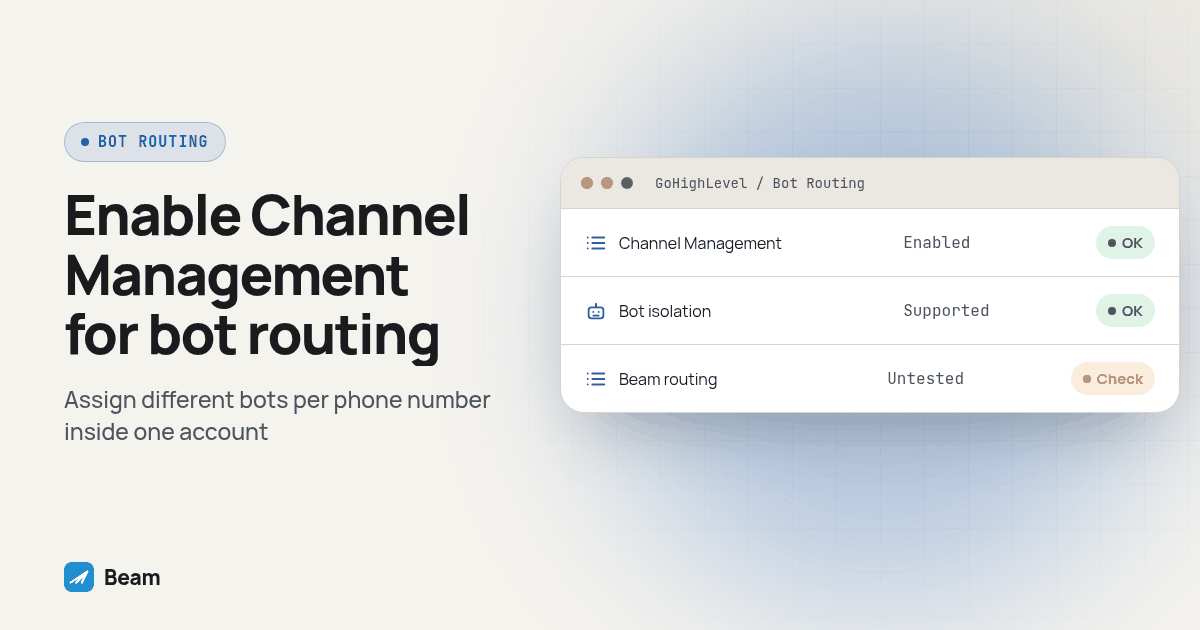
Quick answer: GoHighLevel’s Conversation AI can now run a different bot per phone number inside one sub-account, through a Labs feature called Channel Management that replaced the old one-Primary-Bot-per-account rule. That per-number dropdown is documented for GoHighLevel’s native numbers; for a number connected through a messaging integration like Beam, the documented assignment lever is the provider and contact tags, not a confirmed per-number toggle, so test it before you promise a client bot isolation across numbers.
An agency running several client-facing numbers out of one GoHighLevel sub-account used to hit a hard wall: only one bot could be the Primary Bot, and it answered every inbound conversation on its assigned channels regardless of which number the lead texted. GoHighLevel shipped a fix for that in 2026 called Channel Management, and it does let you point separate bots at separate phone numbers. The part that still needs testing is whether that same per-number control reaches a number sitting behind a connected messaging channel such as Beam, rather than a number GoHighLevel provisioned natively.
Did GoHighLevel’s Conversation AI really only support one bot per sub-account?
Yes, and agencies said so loudly enough that it became one of the platform’s more visible feature requests. The request titled “Assign conversation AI Bot to specific Phone Number” collected support on HighLevel’s own feedback board, with one commenter writing plainly: “Conversation AI is great but if it would be even better if specific phone numbers could be assigned to specific conversation AI bots” (HighLevel ideas board). Another agency described the actual client-facing problem: they ran one bot per location inside a single sub-account and needed the right bot answering the right number, because a lead who texts one number and gets replies that sound like a different business starts to wonder who they are actually talking to.
The underlying rule was not a bug. HighLevel’s own support article on bot types confirms it was how the product worked: “Only one bot can be designated as the primary bot at a time,” and that primary bot would “automatically respond to messages received outside of workflow automation” across whichever channels it was assigned to (Primary vs Non-Primary Conversation AI Bots). A second bot could exist, but only as a non-primary bot triggered inside a specific workflow step, which is a workflow decision, not a property of the number itself. That distinction is exactly why the feature request existed: workflow triggers can route a conversation, but they cannot make a whole number belong to one persona on autopilot.
How do you turn on per-number bot routing in GoHighLevel today?
The feature request above shows as closed, pointing to a changelog entry for the fix: “HighLevel released a new Channel Management experience for Conversation AI that fundamentally changes how bots are assigned to conversation channels,” eliminating the single Primary Bot requirement in favor of direct channel assignment (Channel Management changelog). The supporting help article spells out the setup:
- Open the sub-account that needs this, go to Settings, then Labs.
- Find “Conversations AI Channel Management” and enable it. The documentation says to allow about five minutes for the existing setup to migrate automatically (Manage Conversation AI Bot Channels and Routing).
- Open the bot you want on a specific number and go to its Deploy tab. Each bot is configured independently here.
- Turn on the channel you need, SMS for a phone number, for example, then click that channel’s edit icon.
- Turn on “Assign channel” and select the required page, phone number, account, or widget. This is the literal per-number control the original feature request asked for.
- Repeat for the second bot and the second number, then send a test message to each number from a phone you control before telling a client it is live.
One safety detail matters for anyone nervous about touching a live setup: a direct bot assignment, meaning a bot tied to one specific contact, still wins over any channel or tag rule, “even when another bot would normally match the contact’s channel and tags.” That keeps an in-progress conversation with a specific lead from suddenly switching bots mid-thread just because you changed a channel-level rule.
Does that per-number control reach a Beam-connected number the same way?
This is the question a GoHighLevel reseller running Beam actually needs answered, and the honest version is: it is not confirmed either way without testing it yourself, because Beam does not plug into GoHighLevel as one of its native SMS or voice numbers. Beam connects through a Custom Webhook action for workflow sends and shows up as “an additional inbox channel” for manual replies, with GoHighLevel remaining the system of record (GoHighLevel iMessage integration). A GoHighLevel number that lives inside the platform’s own phone system is a different object than a messaging channel supplied by a connected provider.
GoHighLevel’s own documentation on third-party channels draws that line. A Custom Conversation Provider is “a Marketplace app that adds another messaging channel to HighLevel,” and once Channel Management is on, “each custom messaging app appears on the Deploy tab” with its own toggle (Use Custom Conversation Providers with Conversation AI). The assignment flow described there is picking the installed provider from a dropdown and layering contact-tag rules, Has or Doesn’t Have tags with AND or OR logic. Nothing in that article describes a second dropdown for choosing which individual number inside that provider the bot should own. For a native GoHighLevel number, the Deploy tab literally offers “phone number” as a selectable target; for a connected provider, the documented target is the provider itself plus tags.
That gap matters because Beam’s own setup already runs multiple numbers behind one connection. Beam’s number pool spreads leads across lines using its own routing rules, each lead sticks to one number permanently, and the thread moves with the lead rather than the bot (how Beam numbers are assigned). If GoHighLevel’s Channel Management treats “Beam” as one provider rather than exposing each individual Beam number as its own target, then turning on a second Conversation AI bot will not automatically split responses between two Beam-connected numbers the way it would between two native GoHighLevel numbers. Also remember that GoHighLevel’s standard Send SMS workflow action never touches Beam at all; it keeps using the account’s default SMS provider, so any bot logic built around that action will not reach a Beam line regardless of Channel Management settings (Send from GHL workflows).
Screenshot: the Conversation AI bot Deploy tab with Channel Management on, showing a native SMS channel’s “Assign channel” toggle expanded to a phone number dropdown next to a separate custom-provider channel row that only exposes a provider name and tag rules, no number-level dropdown.
What is the actual workaround for separating bot personas across numbers?
Two approaches hold up without waiting on GoHighLevel to confirm number-level granularity for connected channels, plus a middle option worth knowing about even if it adds overhead.
- Separate sub-accounts, one per bot persona. This is the strongest form of isolation because it does not depend on how a connected provider’s Deploy tab happens to group channels. Beam’s documentation is explicit that “one Beam client workspace maps to one verified HighLevel location” and “a token for one location cannot read, write, or sync another client” (Beam’s CRM integration docs). An agency running multiple client personas in different sub-accounts, each with its own Beam workspace and its own Conversation AI bot, gets separation at the account boundary instead of relying on a shared channel setting.
- Tag-based routing inside one sub-account. If the client genuinely needs one sub-account with multiple personas, build a workflow step that tags the contact (by which number they texted, which campaign brought them in, or which location they belong to) before the Conversation AI step runs, then configure each bot’s Deploy tab with the matching Has-tag rule described in GoHighLevel’s custom provider documentation. This works whether the channel is native or connected, because the routing lever is the tag, not the number identity GoHighLevel assigns to the channel.
- Keep bot logic in your own workflow for anything sent through Beam’s Custom Webhook. Beam’s workflow integration already lets a workflow set
assistant_modeon a per-send basis, so an agency that needs fine control over what the AI does on a specific Beam-connected number can decide that logic inside the GoHighLevel workflow itself, upstream of whichever Conversation AI bot would otherwise answer (GoHighLevel workflow integration).
None of these is automatically better than the others. Separate sub-accounts add more administration and mean managing more logins and more number pools. Tag-based routing depends entirely on the workflow correctly tagging every contact before the bot responds, and a missed tag means the wrong bot answers. Channel Management’s native per-number dropdown is the least work, but only once you have confirmed it actually targets the specific number your client cares about.
How should you test this before you promise a client anything?
Run this sequence in a draft sub-account before a live client conversation depends on the result.
- Create two test bots and two test numbers. Use a sub-account you control, not a live client account, and make sure neither test bot is the account’s current Primary Bot.
- Turn on Conversations AI Channel Management in Labs and wait for the migration to finish before changing anything else.
- Assign the first bot to the first number’s channel on its Deploy tab, using the phone number selector if the number is native, or the installed provider row if the number arrives through a connected channel like Beam.
- Assign the second bot to the second number the same way, confirming the Deploy tab actually shows a distinct target for each one rather than the same provider row twice.
- Text each number from a separate phone you control and confirm each conversation gets a reply in the correct bot’s voice, not a shared default response.
- If both numbers sit behind the same connected provider, add a contact tag step to your test workflow before the bot responds, and verify the tag, not the number, is what actually determines which bot answers.
- Send a message to an existing contact who already has a direct bot assignment and confirm that assignment still wins over whatever channel or tag rule you just built, matching HighLevel’s documented priority order.
- Write down which mechanism the isolation actually rests on, native per-number Channel Management, provider-level tagging, or a separate sub-account, before describing the setup to the client in those terms.
A clean pass on this test tells you what you can honestly promise. It does not mean every future connected-channel number behaves identically; repeat the test whenever you add a new line or a new Marketplace provider version.
How do the three isolation methods compare?
| Method | Isolation strength | Setup effort | Watch for |
|---|---|---|---|
| Native per-number Channel Management | Strong, documented at the individual number level for GoHighLevel’s own channels | One Labs flag plus a Deploy tab assignment per bot | Only confirmed for native channels; connected providers may show as one row |
| Separate sub-account per persona | Strong, isolation at the account boundary | A new GoHighLevel location and a new Beam workspace per persona | More logins, more number pools, more billing to manage |
| Tag-based routing in one sub-account | Depends entirely on tagging discipline | A workflow step to tag contacts before the bot runs | A missed or wrong tag sends the contact to the wrong bot |
What do agencies ask about per-number Conversation AI bots?
The answers below separate documented native-number behavior from what still requires a Beam test.
Does GoHighLevel’s Conversation AI support assigning a different bot to each phone number now?
For GoHighLevel’s own native numbers, yes, once a sub-account turns on the Conversations AI Channel Management setting in Labs. A bot’s Deploy tab lets you turn on Assign channel and select the required page, phone number, account, or widget, so two bots in the same sub-account can each own a different native number.
Does that per-number assignment reach a number connected through a messaging integration like Beam?
Not confirmed at the same granularity. HighLevel’s own documentation on custom conversation providers describes assignment by selecting the installed provider on a bot’s Deploy tab and layering contact tag rules, not a dropdown of individual numbers inside that provider. Treat per-number isolation on a connected channel as untested until you run it yourself.
What is the workaround if GoHighLevel will not isolate bots by number on a connected channel?
Give each bot persona its own GoHighLevel sub-account and its own Beam workspace, since Beam’s documentation states that one Beam client workspace maps to one verified HighLevel location. The second option is tag-based routing inside one sub-account, where a workflow step tags the contact before the Conversation AI bot responds.
Will turning on Channel Management break the bot that is already running?
HighLevel’s support documentation says the previous Primary Bot is assigned to the channels it already supported, so it keeps responding while the account reviews the new deployment settings, and the existing setup takes about five minutes to migrate after the Labs flag is enabled.
What should an agency check before promising a client separate bots on separate numbers?
Run a side-by-side test with two numbers and two bots in a draft sub-account before any client conversation depends on it, confirm whether the connected channel exposes a per-number option on the Deploy tab or only a provider-level toggle, and write down which isolation method, Channel Management, separate sub-accounts, or tags, the promise actually rests on.
What should you take into a client conversation about this?
Tell the client the true current state: GoHighLevel can now run separate bots on separate numbers inside one sub-account, that capability did not exist before 2026, and the open question for a connected number is which of the three isolation methods above you tested and confirmed for their specific setup. Agencies already running multiple client workspaces through Beam can keep that separation clean at the account level, covered in the broader GoHighLevel messaging guide and the agency texting setup walkthrough. For agencies reselling the whole stack under their own brand, the white label iMessage setup guide covers how that separation holds up across client-facing numbers. Teams layering AI voice calling onto the same client numbers can pair this with RizzDial’s GoHighLevel integration for the calling side of the same per-client isolation question.
Bring the test results, not just the feature name, into the sales conversation. Text our team to try it if you want to walk through how Beam’s numbers and workspaces fit into whichever isolation method you land on.